
Office 2021 End of Support and What to Do Next
The Office 2021 end of support date is October 13, 2026. This means that after this day, Microsoft will no longer provide security updates and bug fixes for Office 2021,...

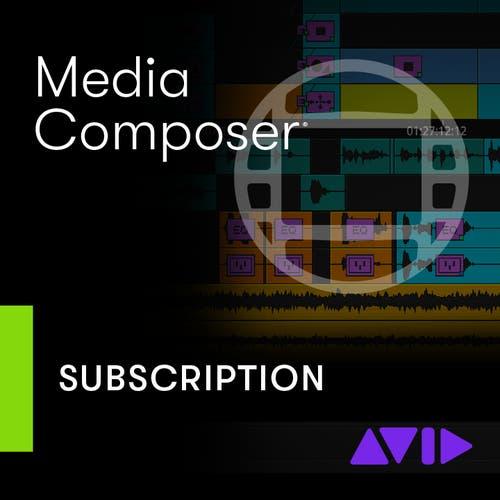
Avid Media Composer software provides creators with a reliable, professional-grade editing platform that is free from unnecessary complexity. Whether you’re a student, freelancer, or independent filmmaker, this Media Composer download delivers the essential tools you need to bring your stories to life.
Media Composer Standard is built to keep pace with today’s editing demands. It supports HD through 4K formats and manages mixed frame rates without stuttering. Thanks to DNxHR and proxy workflows, even bulky projects remain easy to navigate while preserving top-tier quality.
Media Composer has long been the industry’s workhorse, shaping stories on both the big and small screens. With the Standard edition, you get the same proven editing environment, intuitive timelines, precise trimming, and dependable playback designed to help you build sequences and refine cuts with confidence.
This software’s interface is designed to keep you focused on the work, not navigating through endless menus or dealing with steep learning curves. Task-based workspaces provide only what you need while never holding you back. Avid Media Composer software also lets you rearrange and customize panels to match your ideal editing style.
Media Composer Standard comes equipped with robust color correction and audio editing features to polish your final product. Utilize a 32-bit floating-point color pipeline for consistent results throughout your workflow, and seamlessly mix dialogue, music, and effects directly within the platform.
Key Features of Avid Media Composer for Windows and Mac:
When you download Avid Media Composer software, you don’t just get powerful digital editing tools; you get peace of mind. The same applies to all software we carry, ensuring we only offer legitimate products from industry-leading brands. With instant digital delivery, you can start your next project right away.
Our amazing team is here to assist with installation or setup questions. Plus, our secure checkout process makes buying software simple and stress-free. Trust SoftwareCW for authentic products, expert knowledge, and a smooth shopping experience every time. Beyond that, we’ve built our reputation on trust, security, and expertise, making it easy to shop confidently.
Price: $229.00


Choose Version
| Feature | Media Composer | Media Composer Ultimate |
| Projects | Unlimited, with support for Custom Projects | Unlimited, with support for Custom Projects |
| Bins | Unlimited bins, Volume bins, Favorite bins | Unlimited bins, Volume bins, Favorite bins, Shared bins and projects |
| Video and audio plug-in support | All AVX and AAX plug-ins | All AVX and AAX plug-ins |
| Transcode | ✔️ | ✔️ |
| Consolidate | ✔️ | ✔️ |
| Video tracks | 24 | 24 |
| Audio tracks | 64 | 64 |
| Data tracks | Fully supported | Fully supported |
| Linked file support | Full encode and decode | Full encode and decode, SD, HD, >HD |
| Project formats | SD PAL, SD NTSC, 720, 1080, 2K, UHD, 4K, Custom | SD PAL, SD NTSC, 720, 1080, 2K, UHD, 4K, Custom |
| Frame rates | 23.978p, 24p, 25i/p, 30i/p, 50i/p, 59.94i/p, 60p | 23.978p, 24p, 25i/p, 30i/p, 50i/p, 59.94i/p, 60p |
| Native compression | ✔️ | ✔️ |
| Color spaces | 601/709, RGB 709, S-Log3, SMPTE-2084, DCI-P3, Rec. 2020, ACES Proxy | 601/709, RGB 709, S-Log3, SMPTE-2084, DCI-P3, Rec. 2020, ACES Proxy |
| Desktop display LUTs | Rec. 709, DCI-P3, sRGB, Rec. 2020, ACES Proxy | Rec. 709, DCI-P3, sRGB, Rec. 2020, ACES Proxy |
| Audio resolutions | 32, 44.1, 48, and 96 kHz; 16- and 24-bit | 32, 44.1, 48, and 96 kHz; 16- and 24-bit |
| Audio channels | Mono, dual mono, stereo, 5.1 and 7.1 surround | Mono, dual mono, stereo, 5.1 and 7.1 surround |
| Video editing | ✔️ | ✔️ |
| Multicam editing | ✔️ | ✔️ |
| Video effects | ✔️ | ✔️ |
| FrameFlex | ✔️ | ✔️ |
| Timecode tool | ✔️ | ✔️ |
| Print Timeline | ✔️ | ✔️ |
| List tool | ✔️ | ✔️ |
| Film workflows | ✔️ | ✔️ |
| Stereoscopic 3D | ✔️ | ✔️ |
| Color Correction | ✔️ | ✔️ |
| Audio editing | ✔️ | ✔️ |
| Audio effects | Full core set | Full core set |
| Workspaces | ✔️ | ✔️ |
| Titles | Marquee tool and Classic Title tool | Marquee tool and Classic Title tool |
| Background render, transcode, and consolidate | ✔️ | ✔️ |
| Settings | Full User settings, Multiple Users settings, Site settings, Project settings | Full User settings, Multiple Users settings, Site settings, Project settings |
| Keyboard Mapping | Full | Full |
| Source/Record color differentiation | Off by default | Off by default |
| Snap to Edit | Off by default | Off by default |
| Auto-launch Effects Editor | Off by default | Off by default |
| Video and audio plug-in support | All AVX and AAX plug-ins | All AVX and AAX plug-ins |
| Avid Marketplace | ✔️ | ✔️ |
| Source Browser | ✔️ | ✔️ |
| Drag-and-Drop Import | ✔️ | ✔️ |
| Drag-and-Drop Link | ✔️ | ✔️ |
| Photoshop w/Layers | ✔️ | ✔️ |
| Capture | ✔️ | ✔️ |
| Dynamic Media Folders | ✔️ | ✔️ |
| AAF Import | ✔️ | ✔️ |
| EDL Import | ✔️ | ✔️ |
| ALE Import | ✔️ | ✔️ |
| Shot Log Import | ✔️ | ✔️ |
| SCC Import | ✔️ | ✔️ |
| Edit While Capture | ✔️ | ✔️ |
| QuickTime (.mov) formats | ✔️ | ✔️ |
| Graphic Export | ✔️ | ✔️ |
| AAF Export | ✔️ | ✔️ |
| ALE Export | ✔️ | ✔️ |
| AFE Export | ✔️ | ✔️ |
| Shot Log Export | ✔️ | ✔️ |
| SCC Export | ✔️ | ✔️ |
| TTML Export | ✔️ | ✔️ |
| AMA File Export | ✔️ | ✔️ |
| DPX Export | ✔️ | ✔️ |
| AS-11 MXF OP1a Export | ✔️ | ✔️ |
| DNxHD MXF OP1a Export | ✔️ | ✔️ |
| DNxHR MXF OP1a Export | ✔️ | ✔️ |
| J2K MXF OP1a Export | ✔️ | ✔️ |
| Export to Device | ✔️ | ✔️ |
| Send to... | ✔️ | ✔️ |
| Avid Artist | DNxIQ | ✔️ | ✔️ |
| Avid Artist | DNxIV | ✔️ | ✔️ |
| Avid Artist | DNxIP | ✔️ | ✔️ |
| Avid Artist | DNxID | ✔️ | ✔️ |
| Avid and third-party audio interfaces | ✔️ | ✔️ |
| Third-party video interface | ✔️ | ✔️ |
| Pro Tools | Control | ✔️ | ✔️ |
| Pro Tools | Dock | ✔️ | ✔️ |
| Artist Control | ✔️ | ✔️ |
| Artist Mix | ✔️ | ✔️ |
| Artist Color | ✔️ | ✔️ |
| Artist Transport | ✔️ | ✔️ |
| Media Composer | Symphony Option | ✔️ | ✔️ (Included) |
| Media Composer | NewsCutter Option | ✔️ | ✔️ (Included) |
| Media Composer | ScriptSync Option | ✔️ | ✔️ (Included) |
| Media Composer | PhraseFind Option | ✔️ | ✔️ (Included) |
| Media Composer | Production Pack | ✔️ | ✔️ |
| Interplay | Production | ✔️ | |
| Interplay | MAM | ✔️ | |
| MediaCentral | ✔️ | |
| MediaCentral | Cloud UX | ✔️ | |
| Avid NEXIS shared bins and projects | ✔️ | |
| iNEWS | ✔️ |
Avid Media Composer software provides creators with a reliable, professional-grade editing platform that is free from unnecessary complexity. Whether you’re a student, freelancer, or independent filmmaker, this Media Composer download delivers the essential tools you need to bring your stories to life.
Media Composer Standard is built to keep pace with today’s editing demands. It supports HD through 4K formats and manages mixed frame rates without stuttering. Thanks to DNxHR and proxy workflows, even bulky projects remain easy to navigate while preserving top-tier quality.
Media Composer has long been the industry’s workhorse, shaping stories on both the big and small screens. With the Standard edition, you get the same proven editing environment, intuitive timelines, precise trimming, and dependable playback designed to help you build sequences and refine cuts with confidence.
This software’s interface is designed to keep you focused on the work, not navigating through endless menus or dealing with steep learning curves. Task-based workspaces provide only what you need while never holding you back. Avid Media Composer software also lets you rearrange and customize panels to match your ideal editing style.
Media Composer Standard comes equipped with robust color correction and audio editing features to polish your final product. Utilize a 32-bit floating-point color pipeline for consistent results throughout your workflow, and seamlessly mix dialogue, music, and effects directly within the platform.
Key Features of Avid Media Composer for Windows and Mac:
When you download Avid Media Composer software, you don’t just get powerful digital editing tools; you get peace of mind. The same applies to all software we carry, ensuring we only offer legitimate products from industry-leading brands. With instant digital delivery, you can start your next project right away.
Our amazing team is here to assist with installation or setup questions. Plus, our secure checkout process makes buying software simple and stress-free. Trust SoftwareCW for authentic products, expert knowledge, and a smooth shopping experience every time. Beyond that, we’ve built our reputation on trust, security, and expertise, making it easy to shop confidently.
We offer refunds to original payment method if the following are met:
Returns can be requested by logging into your account here.
We offer refunds to store credit if the following are met:
Returns can be requested by logging into your account here.
The Office 2021 end of support date is October 13, 2026. This means that after this day, Microsoft will no longer provide security updates and bug fixes for Office 2021,...

Nearly every industry today manages digital documents using PDF tools, which provide the most effective way to create and edit them. One of the most common among them is Adobe...

During the Christmas holidays, a gifting season, many people receive devices from their loved ones, and Windows devices are among the most common and exciting gifts. But if you’re not...

It’s easy to fall into the trap of thinking that the best graphic design software for beginners is the one that’s most popular or has the longest feature list. However,...

If you’re thinking about making a decision between Microsoft Office Home & Student vs Home & Business, this decision is going to come down to your daily tasks, budget, and...

Software that students must have helps them be more productive at school. Many of these programs are provided by the school, eliminating the need to buy them. But that’s not...

Computer requirements for different CAD software programs depend on the type of design work, project size, and features you need. Generally, though, you need a 64-bit processor, 16 GB of...

If you've searched antivirus vs internet security and come away more uncertain than when you started, you're not alone. Both terms show up on the same product shelf, often used...
Microsoft

Microsoft
Microsoft
Norton

Tungsten Automation

Tungsten Automation
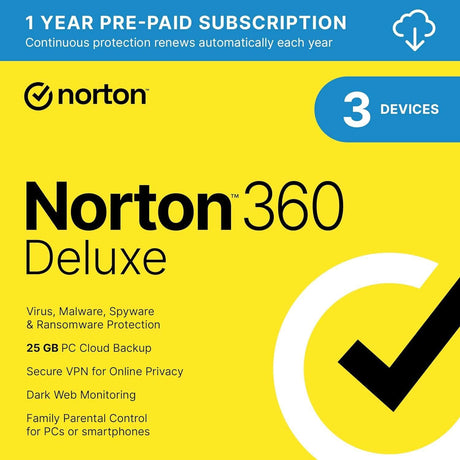
Norton

Tungsten Automation

Category
Compatible Platforms
Compatible Operating Systems
Pricing Model
Number of Computers/Users
Supported Regions
Delivery Format
Supported Languages