McAfee - SoftwareCW - Authorized Reseller

McAfee

McAfee is a trusted name in the world of computer security. You’ve likely heard about this brand, whose name and software date back to the 1980s! While the McAfee name is synonymous with antivirus programs, McAfee software has recently expanded into offering identity protection and VPN software for personal and business use. This company’s iconic legacy lies in its tireless efforts to get and stay ahead of new and emerging threats in the cybersecurity world. Download McAfee antivirus confidently by checking out our selection of authentic software below.

Change View

  • Download McAfee Antivirus Software for Total Protection

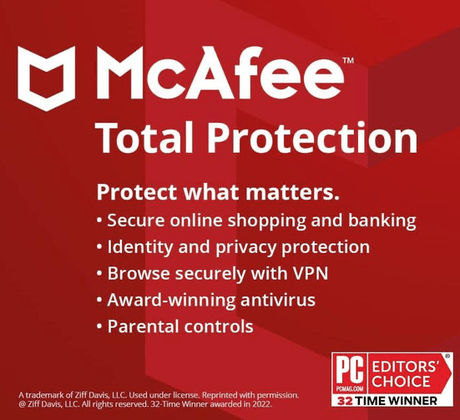
    Whether you’re at home, work, traveling, or elsewhere, McAfee has the software to protect your valuable devices. McAfee’s Total Protection software provides an all-in-one solution that includes firewall, antivirus, and identity theft protection. Having a world of protective tools at your fingertips makes this software ideal for individuals, work teams, and families.

    These protective programs are perfect for anyone who values security and privacy, especially regarding their personal information and valuable devices. A few of this brand’s notable features include real-time scanning for around-the-clock safety and safeguarding multiple devices through a single software subscription. 

  • Why Purchase McAfee Software From SoftwareCW?

    Get the most from your devices by shopping at SoftwareCW. Our incredibly low pricing makes it easy for everyone, from solopreneurs to work teams and larger companies, to protect their devices affordably.

    We’re not only your leading source for legitimate McAfee antivirus downloads. SoftwareCW also carries software from other trusted digital security companies, including Norton.

    Are you looking for software besides programs that offer device protection? SoftwareCW carries an impressive range of business, design, audio/video editing, and operating system software. Plus, our skilled support team is here to provide product guidance and ensure you enjoy nothing but complete customer satisfaction.

Frequently Asked Questions

How do I download McAfee antivirus software?

Downloading software from SoftwareCW is incredibly simple. First, find the software you want from our incredible product range. Then, after placing your order, you’ll receive one of our lightning-fast download links. After your download is complete, you’re ready to experience the superior protection McAfee offers.

Which is better, Norton or McAfee?

Norton and McAfee are synonymous with superior device protection. However, the best software option for you depends on your personal or business-related needs. Generally, people who value identity theft protection and coverage for multiple devices choose McAfee. Users often select Norton for its array of cloud-based backups.

Does McAfee offer subscriptions for year-round protection?

Yes, McAfee offers subscription-based plans for many of its applications. These options typically include protection for a single year or a yearly auto-renewal to ensure that your devices are never protected. You should also receive notifications that let you know when your renewal date nears so you always have digital protection.

Can McAfee protect against phishing scams and attacks?

Yes, definitely. McAfee antivirus downloads include an outstanding array of cutting-edge tools and services made to detect and prevent suspicious websites, files, and other sources from accessing your valuable data.

What is the difference between McAfee Total Protection and McAfee Internet Security?

Both are security products, but the exact feature mix and device options depend on the edition and generation. SoftwareCW’s McAfee collection includes both Total Protection and Internet Security, with Total Protection positioned as a broader all-in-one package that can include antivirus, firewall, identity, privacy, and multi-device protections. Before choosing, compare the exact SKU’s device count, supported platforms, VPN or identity features, and renewal terms rather than assuming every product with a similar name includes the same tools.

Which operating systems does current McAfee Total Protection support?

McAfee’s current requirements list Windows 11 and Windows 10 on x64 processors, Windows 11 on ARM64 processors, macOS 13 or later for current builds, Android 10 or later, iOS 16 or later, and supported ChromeOS versions. SoftwareCW also lists Total Protection for Windows and Mac. Requirements can change, especially for security software, so verify the current publisher page before installing on an older computer or mobile device.

Does McAfee work on Windows 11 ARM computers?

Yes. McAfee’s current system requirements support ARM64 processors on Windows 11 for Total Protection and related current consumer products. That is relevant for newer Snapdragon-based Windows PCs. Feature-specific hardware requirements can still apply, and older McAfee versions may not share the same ARM support. If you are buying a legacy SKU or depend on a particular VPN, browser, or protection feature, verify that exact component on Windows 11 ARM rather than relying only on the current suite-level requirement.

Can one McAfee subscription cover Windows, Mac, phones, tablets, and Chromebooks?

Some current McAfee multi-device products support a mix of Windows, macOS, Android, iOS, and ChromeOS devices, but the number of covered devices depends on the selected plan. SoftwareCW’s collection includes multiple computer-count options for McAfee products. Count the actual devices you plan to protect and confirm that each platform is eligible under that SKU. A device-count label does not guarantee identical features on every operating system, so review platform-specific limitations as well.

What hardware does current McAfee Total Protection require?

McAfee’s current requirements list a 1 GHz processor, 2 GB of RAM, and about 1.3 GB of free drive space for Total Protection, in addition to a supported operating system and browser. Those are baseline requirements; real-world performance can vary with the computer and enabled features. If the PC is already resource-constrained, check available memory and storage before installation. Older McAfee releases or advanced features can have different requirements, so use the documentation for the exact version.

Why does automatic renewal matter for McAfee subscriptions?

Security software depends on an active entitlement to keep receiving protection and updates, so renewal affects whether premium services continue after the initial term. SoftwareCW notes that many McAfee products are sold as yearly subscriptions and may offer automatic renewal. McAfee also ties some benefits or pledges to eligible products and renewal enrollment. Before purchasing, review the initial subscription term, renewal conditions, device count, account management, and what protection or services change when the subscription expires.

Should I choose McAfee based only on the number of devices?

No. Device count is important, but compare the actual security and privacy features, supported platforms, identity services, VPN or browser protection, system requirements, and renewal model as well. SoftwareCW carries several McAfee Total Protection and Internet Security variants, so two products with different device counts may also represent different generations or feature bundles. Choose the smallest plan that covers your real device mix while still including the protections you need, rather than buying extra seats without checking the feature set.

What should I verify before purchasing McAfee software?

Confirm the exact product and generation, number of covered devices, Windows or Mac version, ARM or x64 processor where relevant, mobile or Chromebook support, RAM and storage, subscription term, automatic-renewal details, and the security features included. If your computer runs an older operating system, do not rely on an old SoftwareCW product name alone—compare it with McAfee’s current requirements or the documentation for that release. Keep the activation account and purchase details for future reinstallations.