Data Transfer and Recovery Software

Over time, whether for business or personal purposes, most people accumulate lots of important data on their devices and storage solutions, such as memory cards and hard drives. These individuals also find themselves needing to upgrade their devices.

Getting a new device for personal or business purposes typically means dealing with the hassle of moving your information to your new device. Thankfully, data transfer software takes the confusion and hassle out of transferring files, ensuring a smooth move to a new device.

Change View

  • Download Top-Rated PC Data Transfer Software

    Whether upgrading to a device or moving files to a secondary device, data transfer programs make this process possible while taking most of the guesswork out of this sometimes complex task. Using these tools also means not risking losing any information stored where you’re moving data from.

    Features of these types of software often include user-friendly interfaces and time-saving features. Plus, these programs can efficiently and quickly transfer multiple types, including:

    • Documents
    • Videos
    • Photos
    • Settings
    • User profiles

    Certain PC data transfer software, such as Laplink PCmover, further eases this process by automatically installing your newly moved programs.

  • Shop for Data Transfer Solutions and More at SoftwareCW

    SoftwareCW is a trusted software retailer with 10 years of experience that sells products from the world’s leading brands.

    We carry a wide range of software, including photography, project management, and antivirus programs. Our company’s customers include individuals, businesses, government agencies, and educational institutions.

    We also provide incredibly fast download speeds, ensuring you get your software fast and without dealing with long shipping times.

    Besides our great software selection and excellent customer service, SoftwareCW also prides itself on offering the lowest possible prices for the software we carry. We offer a 10% discount for first-time customers. Additionally, our SoftwareCW Plus program lets members take 10% off all orders!

    Start shopping to find out why SoftwareCW is a leading source of authentic software for personal and professional use.

Frequently Asked Questions

What is data transfer software?

These programs enable users to move data from one device to another. These types of software help make what’s often a complex process into something completable with a few screen taps or mouse clicks. They help ease the move between multiple devices.

Which software is best for data transfers?

Many suitable programs can move files from one device to another. However, for its ease of use and how much it’s capable of moving, we recommend Laplink PCmover.

How can I transfer data easily?

Typically, the easiest way to transfer data is using software for this specific purpose. Using a data transfer program often simplifies the time and effort required to move information from one device to another. Certain programs can even import settings and user profiles while installing newly moved applications.

Can I transfer software between devices?

Yes. However, this also depends on whether your software is for one or multiple devices. When possible, programs like Laplink PCmover can install newly moved programs based on your preferences.

What is the difference between PCmover Professional and PCmover Express for data transfer?

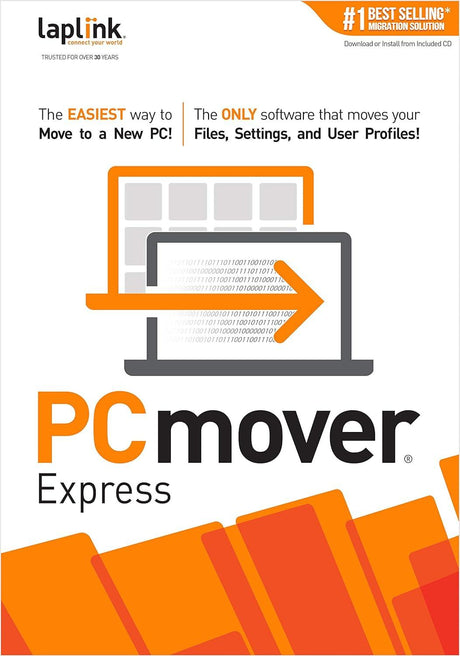
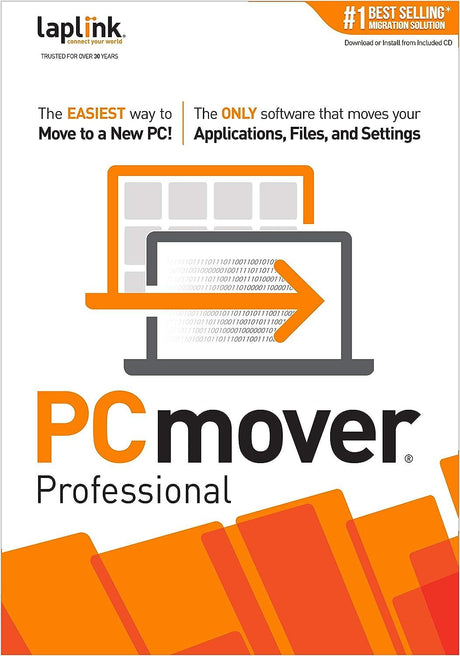
The key difference is application migration. PCmover Express is designed to transfer selected files, settings, and user profiles, while PCmover Professional can also move many selected applications. SoftwareCW currently lists both version 11 products. Choose Express when you plan to reinstall programs yourself and mainly need personal data and settings. Choose Professional when reducing application reinstallation is important, while remembering that some programs still cannot be transferred or may require reactivation on the destination PC.

Is PC migration software a replacement for a backup?

No. Migration software is designed to move selected data and settings from one computer or Windows environment to another; it is not a long-term backup strategy. Before a major migration, create an independent backup of important files so you still have a copy if the old PC fails or the transfer is interrupted. Keep the source computer intact until you have verified the new system. Migration simplifies the move, while backup protects you against loss during and after that process.

Do I need PCmover installed on both computers?

For a direct old-PC-to-new-PC migration, Laplink instructs users to install and run PCmover on both systems and follow the transfer wizard. The computers then communicate through a supported transfer method. Use the same PCmover edition and follow the version-specific setup instructions. Before starting, make sure both PCs have stable power, sufficient free space, and the required network or cable connection, and avoid making major changes to either system while the transfer is running.

Can I choose which files, users, settings, and applications get transferred?

Yes. PCmover provides selection and customization steps so users can choose what should move rather than blindly copying everything. Professional can show application transfer status, while users can also choose files, user profiles, and settings. Reviewing the selection is worthwhile because old temporary files, obsolete user accounts, or incompatible software may not belong on the new computer. Use the migration as an opportunity to move the data and applications you still need instead of recreating years of clutter.

What happens to software licenses when applications are moved to a new PC?

PCmover can transfer many application files and settings, but it does not override the application publisher’s license. Software protected by product activation, account sign-in, hardware binding, or DRM may need to be deactivated on the old computer and reactivated on the new one. Keep product keys and account credentials available before migrating. Also confirm that the license permits use on the destination PC and that the application itself supports the newer Windows version.

Can PCmover migrate from an older Windows version to Windows 11?

PCmover 11 is designed for Windows migration scenarios that can include moving data from older supported Windows systems to a newer PC, including Windows 11. The migration tool cannot make an incompatible legacy application compatible with Windows 11, however. Before moving important software, verify that the application, drivers, plug-ins, and peripherals support the destination system. If a program is too old for Windows 11, plan to replace or update it rather than assuming the transfer will solve compatibility.

Which connection method should I use for a PC data transfer?

The best option depends on the computers, available ports, network quality, and the PCmover edition. Transfers can use supported network or cable-based methods, and some Laplink products support high-speed USB transfer cables. Large migrations benefit from a stable, fast wired connection when available. Whatever method you choose, keep both systems powered and avoid network interruptions. Estimate how much data is moving and confirm the destination has enough free storage before starting.

What should I verify before purchasing data transfer software?

Check the source and destination Windows versions, whether you need application transfer or only files and settings, the amount of data, connection options, available destination storage, and the licenses for applications you want to move. Keep a separate backup and verify critical software supports the new computer. SoftwareCW’s current category contains PCmover Professional and Express, so the primary buying decision is whether application migration is worth the higher-feature edition for your particular move.