Nero - SoftwareCW - Authorized Reseller

Nero

If you work with any media type (music, images, designs, videos), you’ve likely heard of Nero. This leading software brand lets users do everything from burning media on discs to helping them edit movies and images. 

Whether creating professional-quality videos or organizing your multimedia library, Nero computer programs can help you streamline your work and enjoyment. At SoftwareCW, we provide authentic and affordable access to a wealth of Nero products. Find and download Nero software from SoftwareCW below.

Change View

  • Explore the Superior Suite of Nero Computer Programs

    Nero software lets users perform various tasks, especially those involving managing digital media. This company’s superior toolset lets users easily edit videos, organize their images, and handle media of nearly any type. Whether creating a professional-quality video montage or backing up data, Nero covers all aspects of your work with media. 

    The best way to get the most from this company’s software is by downloading its suites, including Nero Standard and Nero Platinum. These software suites include Nero Burning ROM, Nero Video, Nero BackUp, and other popular programs from this company in one convenient application. Each tool offers cutting-edge capabilities combined with Nero’s user-friendly interface.

  • Download Authentic Nero Programs From SoftwareCW

    When you purchase any software, ensuring you’re accessing authentic programs is a must. That’s what SoftwareCW offers. We commit ourselves to providing legitimate, licensed products to our valued customers. But that’s not all. 

    We also specialize in providing the software we carry at the lowest possible prices. Beyond our collection of Nero computer programs, we also have extensive software from other trusted brands, including Corel, Magix, McAfee, Norton, Punch!CAD, and many others. Best of all, SoftwareCW offers new and current customers additional money-saving opportunities.

Frequently Asked Questions

What is Nero software used for?

People and companies typically download Nero software to manage multimedia. Specific tasks Nero software can help with include burning media onto blank discs, backing up critical data, and editing photos or videos. Nero’s versatile tools help you save time and avoid confusion while managing your digital life.

How do I install Nero software?

Downloading and installing is easy with SoftwareCW. Simply purchase the program or suite you intend to use. Then, you’ll receive the information needed to download your program quickly. Our support team is always ready to assist you if you encounter any issues.

Which Nero version is best?

That depends on your needs. When you’re looking to complete a particular task, such as burning media or editing files, Nero offers specific programs. This company also offers suites that combine programs bundled together for maximum functionality.

Do Nero computer programs work on Windows and Mac?

There are a few Nero programs that work on Mac. However, the majority of Nero’s software is for Windows-based devices. All Nero products SoftwareCW carries are for Windows users.

Can I use Nero for professional projects?

Yes, absolutely! Nero’s powerful software is more than capable of handling multimedia-related tasks on a large scale that businesses sometimes require.

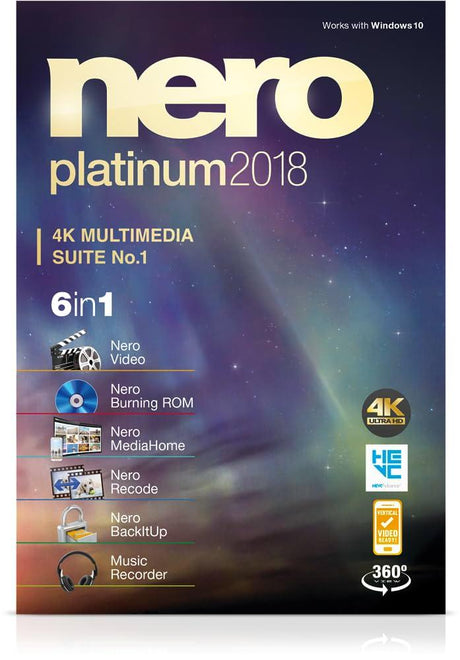
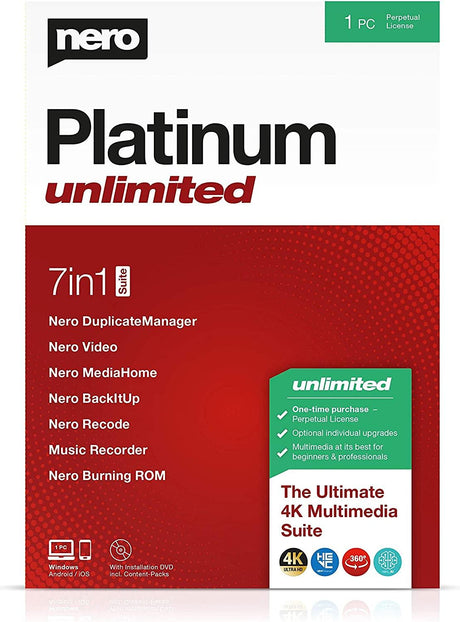
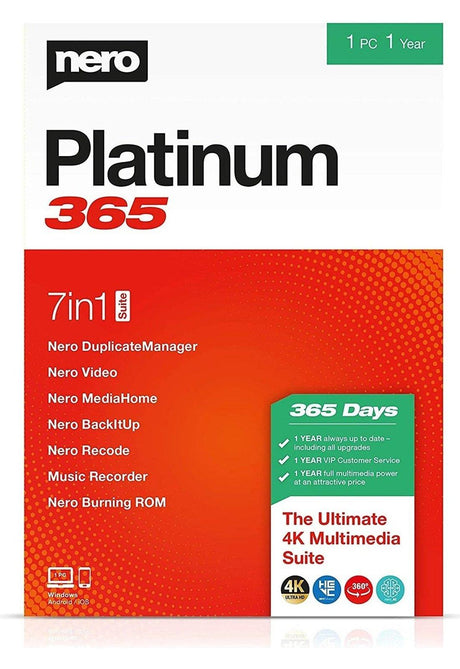
What is the difference between Nero Platinum, Platinum Unlimited, and Platinum 365?

The key differences are version age, included suite features, and licensing model. SoftwareCW currently lists Nero Platinum 2018, Platinum Unlimited, and Platinum 365. Nero’s current product comparison distinguishes a subscription-style Platinum offering from Platinum Unlimited as a one-time-payment option. Because SoftwareCW carries older generations, do not assume today’s Nero feature chart maps exactly to every legacy SKU. Compare the exact listing for included applications, license term, Windows support, and whether future updates are part of the purchase.

Which applications are typically included in a Nero multimedia suite?

Nero’s Platinum suites are designed as broad multimedia packages rather than a single burning application. SoftwareCW describes suite components such as Nero Burning ROM, Nero Video, and Nero BackItUp, while current Nero Platinum also includes media organization and AI-assisted image or video tools. The exact set depends on the release. If you mainly need disc burning, a full suite may be unnecessary; if you edit video, organize media, back up data, and author discs, the bundled applications can provide more value.

Do I need an optical drive to use Nero Platinum?

Not for every Nero feature, but you do need a compatible recordable drive to burn physical CDs, DVDs, or Blu-ray discs. Nero’s current requirements explicitly call for a CD/DVD/Blu-ray recordable or rewritable drive for burning. Video editing, media organization, conversion, backup, and many other suite tools can be used without an optical drive. Because many modern PCs omit disc hardware, verify that your computer has a suitable internal or external writer if physical media is a major reason for the purchase.

What hardware matters for 4K, 8K, or AI features in Nero?

Advanced Nero features can require much more capable hardware than basic burning or media organization. Nero’s current requirements recommend 64-bit Windows for 4K work and specify higher RAM, processor, and GPU needs for 8K editing, HEVC decoding, motion tracking, and AI upscaling. Older Nero versions in SoftwareCW’s collection will have different feature sets and requirements. If high-resolution video or AI processing matters, compare the exact release with your CPU, graphics card, RAM, and available storage before purchasing.

Does Nero support Windows 11?

Current Nero Platinum system requirements include Windows 11 along with several older Windows versions, but SoftwareCW’s Nero collection contains older releases such as Platinum 2018. Compatibility therefore needs to be checked at the version level. A current Nero requirement does not prove that every legacy Nero release was designed for Windows 11. If you are buying an older perpetual version for price or familiarity, verify the publisher’s requirements and any activation or update limitations on your current Windows installation.

Does Nero require an internet connection?

Current Nero documentation states that an internet connection is required to verify the software license, and some online or AI-related functions can have additional connectivity needs. Disc burning and local media workflows may not require continuous internet use after setup, but activation and certain services still can. For an offline or tightly controlled production computer, check the exact Nero release’s activation requirements before purchasing and keep your license and account information available for future reinstallations.

Should I choose a Nero subscription or a one-time license?

Choose based on whether you want ongoing releases or a fixed version. Nero’s current comparison offers a subscription-style Platinum plan and a Platinum Unlimited option with a one-time payment, while SoftwareCW also carries older Platinum 365 and perpetual-style products. A subscription can make sense when current codecs, AI features, or updates matter; a one-time purchase can suit a stable offline workflow. Compare the exact term, included version, upgrade rights, and Windows requirements before deciding.

What should I verify before purchasing Nero software?

Identify whether you need disc burning, video editing, media organization, backup, conversion, AI features, or a combination. Then check the exact Nero release, Windows version, 32- or 64-bit requirements, CPU, RAM, GPU, available storage, optical-drive hardware, internet activation, and license model. If you work with HEVC, 4K, 8K, or newer camera formats, verify those capabilities explicitly. Older Nero bundles can be economical, but only when their compatibility and included tools match your current workflow.