Design and Photography Software

Bring your creative ideas to life. Browse an incredible selection of professional and trusted design and photography software. From beginner-friendly introductory programs to software suites that professional artists, designers, and content creators rely on, you’ll find them all at SoftwareCW.

Create, edit, and print your designs easier than ever before. Whether you’re an amateur, hobbyist, professional designer, or photographer, we have the software you need. Shop the best photography and design programs for Mac and PC below.

Change View

  • Download Photography Software From Top Brands

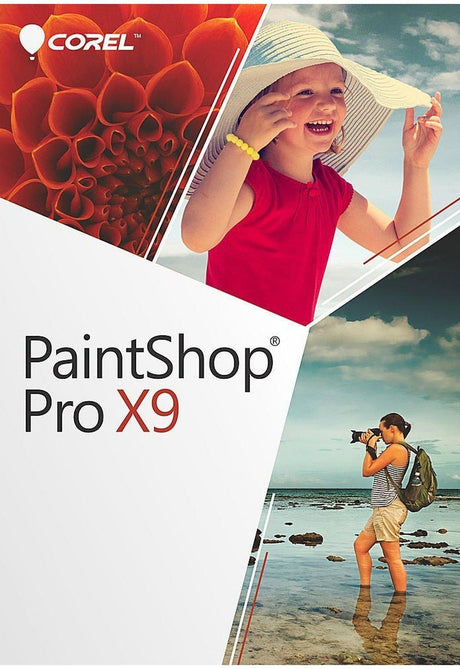
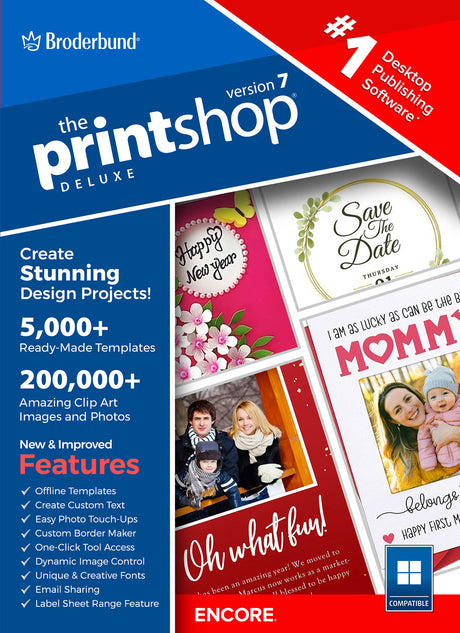
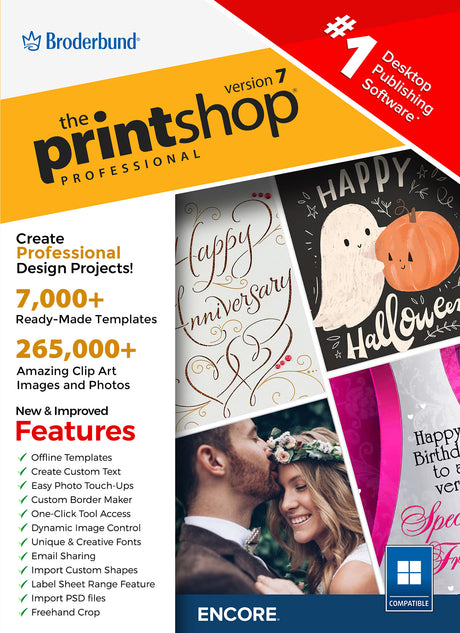
    From architects to artists, people worldwide rely on design and photography software to enjoy their hobbies and succeed in their careers. Finding the right photography and design programs for Mac and PC can elevate the quality of your work, help with creative dilemmas, and foster improved collaboration. You can use software like DesignCAD to create and edit blueprints. Graphic design software like The Print Shop and Corel PaintShop Pro offers thousands of templates and images to fuel your creative drive. Magix Xara Photo and Cyberlink PhotoDirector 7 Ultra lets you retouch and enhance photos with ease.

  • Shop for Professional-Level Software at SoftwareCW

    Avoid counterfeit software. Purchase your software from a reliable retailer: SoftwareCW. Throughout the past 10 years, people and companies have depended on our business to deliver authentic and instant software downloads. Plus, SoftwareCW has a stellar support team that is ready to answer your questions.

    Browse our online store to find, buy, and download software dedicated to:

    • Audio Editing
    • Video Editing
    • Graphic Design
    • Photography
    • Project Management
    • Computer-aided Design (CAD)

    Have extensive software needs? Consider joining the SoftwareCW Plus program. This membership enables you to save 10% off every purchase, get priority support access, and utilize secure backups for all software purchased from our company.

Frequently Asked Questions

What Are the Best Design Programs for Mac?

Mac users have a wide range of programs to include in their design arsenal, including The Print Shop, TurboCAD, Home & Landscape Design Essentials, TurboCAD Mac Deluxe, Cyberlink PhotoDirector, Poser 13, and many others. Narrow your options by choosing design programs relevant to your work and industry.

What Software Do Most Photographers Use?

Photographers use several popular, feature-rich programs, including Magix Xara Photo & Graphic Designer, Cyberlink PhotoDirector, and Magix Photo Manager. The best way to know which photography and design software is right for you is by trying them. Download photography software securely at SoftwareCW.

What Photography and Design Programs for Mac Are Best for Beginners?

Wanting to test the waters with beginner-friendly software is understandable. Fortunately, many such options exist. Consider downloading demos of a few types of software you’re interested in. This strategy is similar to going on a test drive before purchasing a car.

Can I Use Photography and Design Programs for My Business?

Yes. Learn more about SoftwareCW’s Business Program. Understandably, single licenses aren’t ideal when departments and teams require the same software. Our business solutions include volume software discounts, tax exemptions, and flexible payment options.

How do I choose among CAD, graphic design, photography, and home-design software?

Start with the type of output you need. CAD software is built for measured drawings and technical models; graphic-design tools create illustrations, layouts, logos, and print or digital artwork; photography software focuses on image organization and editing; home-design programs provide residential, landscape, furnishing, and property-planning tools. SoftwareCW’s Design & Photography collection combines all of these categories. Narrow to the relevant workflow first, then compare products inside that category instead of ranking unrelated creative tools against one another.

Do I need separate programs for photo editing and graphic design?

Not always. Some applications combine photo adjustment with text, shapes, effects, and layout tools, while others specialize in one area. PaintShop Pro, for example, can support both photo editing and broader raster-design work, whereas template-driven print software, vector CAD, and dedicated photo managers serve different needs. If your projects regularly mix photography with marketing graphics, one versatile editor may be enough. For advanced vector illustration, catalog management, CAD, or large print workflows, specialized software can provide better tools.

Why do file formats matter when choosing design and photography software?

Creative work often moves between applications, printers, clients, cameras, and collaborators, so the ability to open and export the right formats is essential. Photographers may need camera RAW, JPEG, TIFF, or layered image formats; graphic designers may need PDF, SVG, or print-ready files; CAD users may need DWG or DXF. Verify both import and export support for the exact version you are buying. Native project files can also matter when you need to reopen old work with editable layers or geometry.

How do computer requirements differ across creative software categories?

Basic 2D layouts and simple photo edits can run on modest hardware, while large RAW photo libraries, complex layered designs, 3D CAD, rendering, and AI-assisted features can require substantially more RAM, GPU capability, processor performance, and storage. The broad category label does not tell you the hardware requirement. Compare your computer with the publisher’s recommended specifications for the exact application and consider the size of your typical projects, not just whether the software can technically launch.

Can I find both Windows and Mac design software in this collection?

Yes. SoftwareCW’s broader Design & Photography collection includes products for Windows and Mac, but individual titles and versions can be platform-specific. A Windows version of a CAD or print-design program should not be assumed to include a Mac license, and features can differ between platform editions. Check the exact operating-system version, processor type, and license terms before purchasing. If you work on both platforms, also verify that project files can move cleanly between the Windows and Mac editions.

What should I know about buying an older creative-software version?

Older versions can be affordable and useful for stable legacy workflows, but they can have limitations with current Windows or macOS releases, newer camera RAW formats, fonts, plug-ins, GPUs, file formats, or activation services. SoftwareCW’s collection includes products from several generations. Before buying a legacy release, verify operating-system support, installer and activation availability, file compatibility with collaborators, and whether the software supports the hardware or camera you use today.

How should I compare one-time purchases with subscription creative software?

A one-time purchase can suit users who want a fixed toolset and plan to keep the same computer and workflow for several years. A subscription can make more sense when you need frequent updates, cloud services, current camera support, or continuously evolving features. The Design & Photography category includes software with different licensing models depending on brand and version. Compare the long-term cost, upgrade rights, device limits, cloud dependencies, and how often your operating system or creative hardware changes.

What should I verify before purchasing design or photography software?

Identify the exact workflow first, then check operating-system and processor compatibility, RAM, GPU and storage needs, file formats, color or print requirements, layers or CAD features, project-file compatibility, license model, and computer count. For photography, verify camera RAW support; for CAD, verify exchange formats; for print design, verify PDF and printer workflows. Because this collection spans very different creative disciplines, a task-specific checklist is more useful than choosing by brand popularity alone.