
PDF Software Alternatives to Adobe Acrobat
Nearly every industry today manages digital documents using PDF tools, which provide the most effective way to create and edit them. One of the most common among them is Adobe...


Transforming your vision into reality has never been easier with Punch!® Home & Landscape Design. Whether you're a professional architect, a seasoned contractor, or an enthusiastic DIYer, Punch!® provides a suite of intuitive, feature-rich tools to help you design, renovate, and create stunning interiors and landscapes. From detailed floor plans and brand-name product libraries to immersive 3D visualization, these powerful software solutions cater to every level of expertise. Whether you're planning a full-scale remodel or refreshing your outdoor space, Punch!® empowers you to bring your ideas to life with precision and creativity.
Positioned as the next step in our product lineup, this robust solution is tailored for contractors and serious DIYers. It provides comprehensive home design capabilities—from detailed floor plans to expansive outdoor spaces—featuring professional-grade layouts, a vast material library, and dynamic visualization tools that streamline home renovations and new builds with precision. While it offers a high level of functionality, it represents a slight step down from our top-tier Architectural Series.
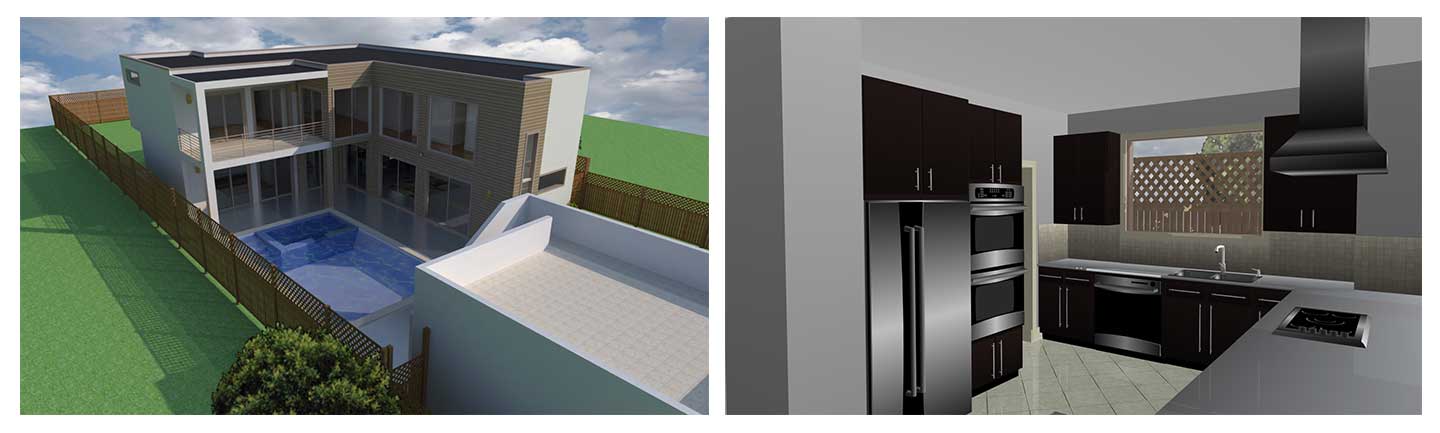
Each version of Punch!® Home & Landscape Design offers user-friendly tools, detailed tutorials, and innovative visualization to bring creative ideas to life efficiently.
|
|
Please note that some features listed below may not be available in every variant. For a complete breakdown of which features are supported in each product, check the Product Line and File Format Comparison.


Easy tabs organize your project into the foundation, floor, electrical, plumbing, roof, etc. creating all the steps needed for your design.
Note: The availability of Tabs (e.g., Foundation, Floor, Electrical, Plumbing, Roof) may vary depending on the product variant you are using. For a detailed overview of feature distribution, please consult the Product Line Comparison Chart. This will help you identify which features are included in the variant you are interested in.
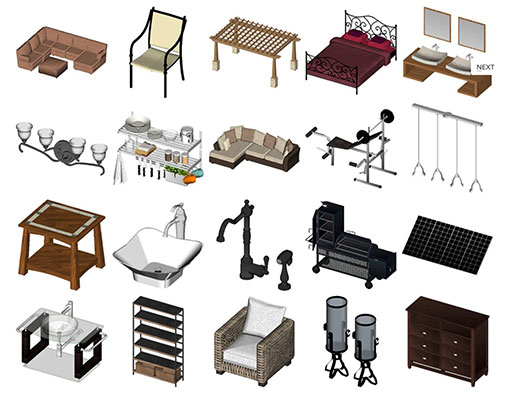
Unlock a world of design potential with an expansive selection of 2D and 3D objects, offering endless possibilities to enhance your space. With a user-friendly interface, you can select and place entire furniture groupings through a simple drag-and-drop mechanism. Dive into a vast array of nationally recognized decorating materials, including stylish faux finishes, elegant wood flooring, sleek countertops, and versatile blinds, among others. Experience the ease and efficiency of our intuitively designed library, crafted for quick and straightforward searches, ensuring you find the perfect design elements in no time.
Save hours of design time by using professionally drawn single and two-story house plans as 2D tracing layers which can then be automatically viewed as a 3D design. 500 plans from which to choose!
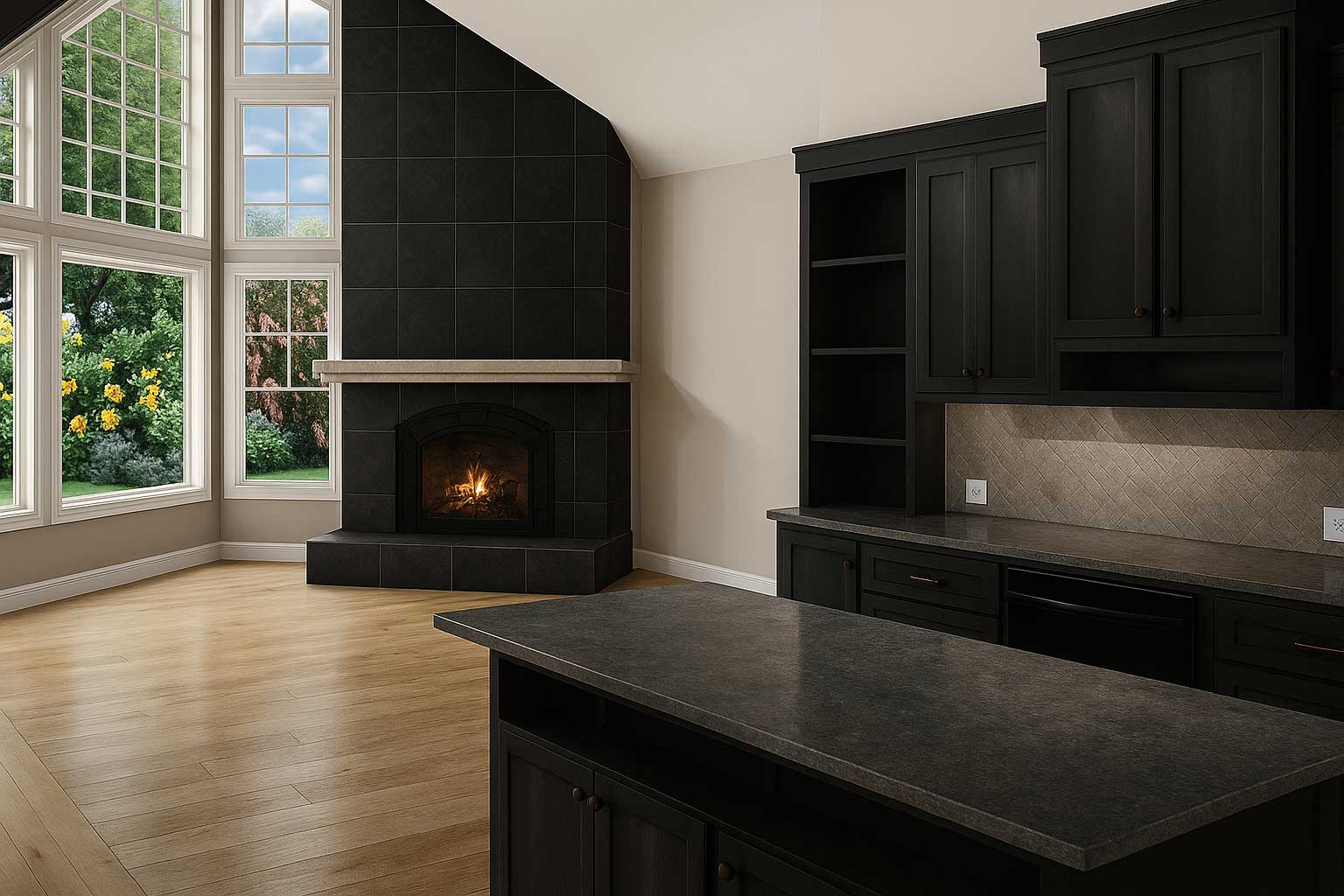
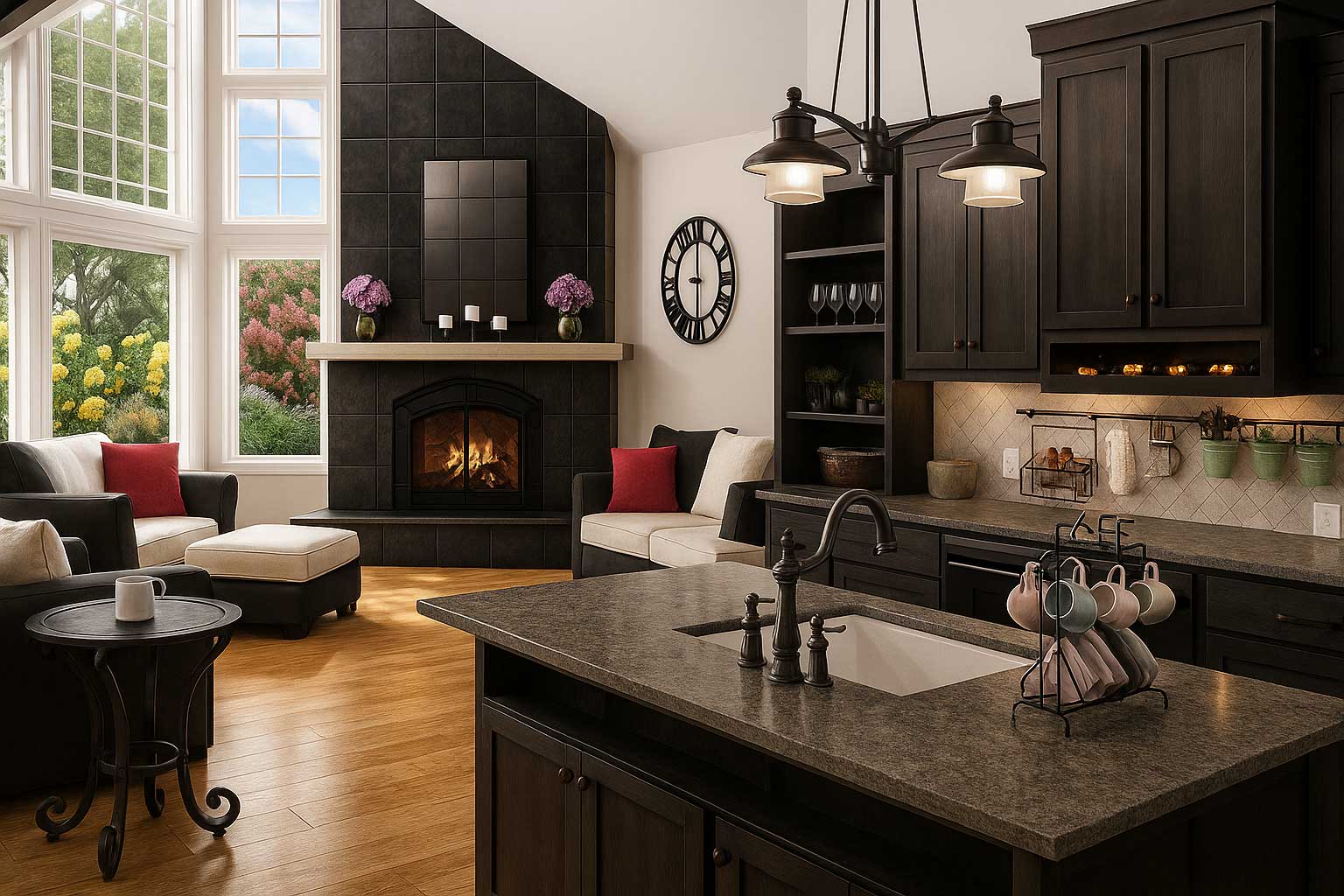


Go green in one click; watch your design go green with design tips and objects; recycled glass counter tops, bamboo flooring and more! Make your home more energy efficient with new appliances or update your windows, doors and more!
SmartWand™technology adds paint or other material applications to a specific wall, room, or your entire house, with one mouse click!

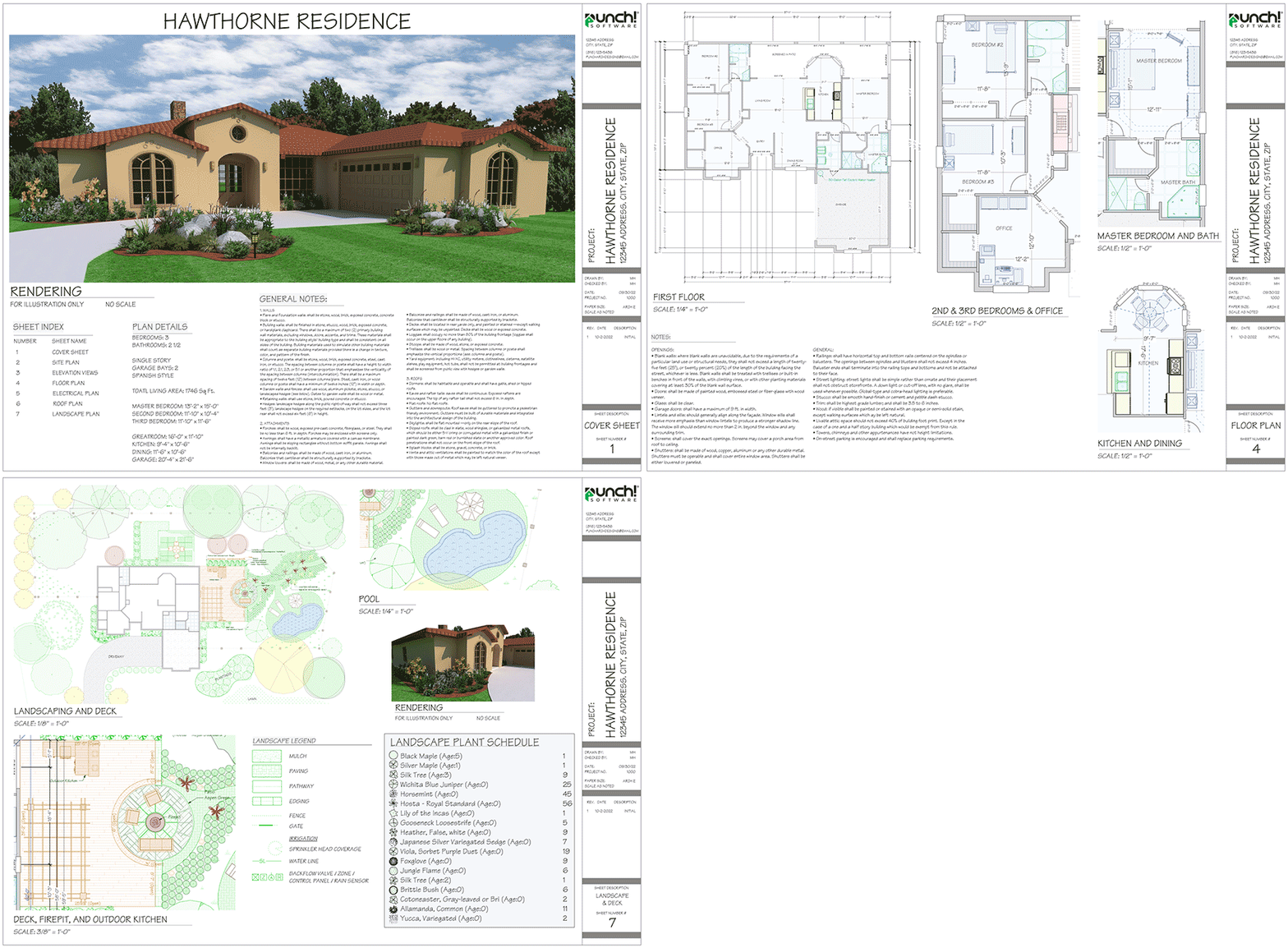
This mode enables easy construction document creation, with customizable design views, sheet sets, annotations, and title blocks. It features accurate dimensioning and versatile printing options, including scale adjustments and PDF output.
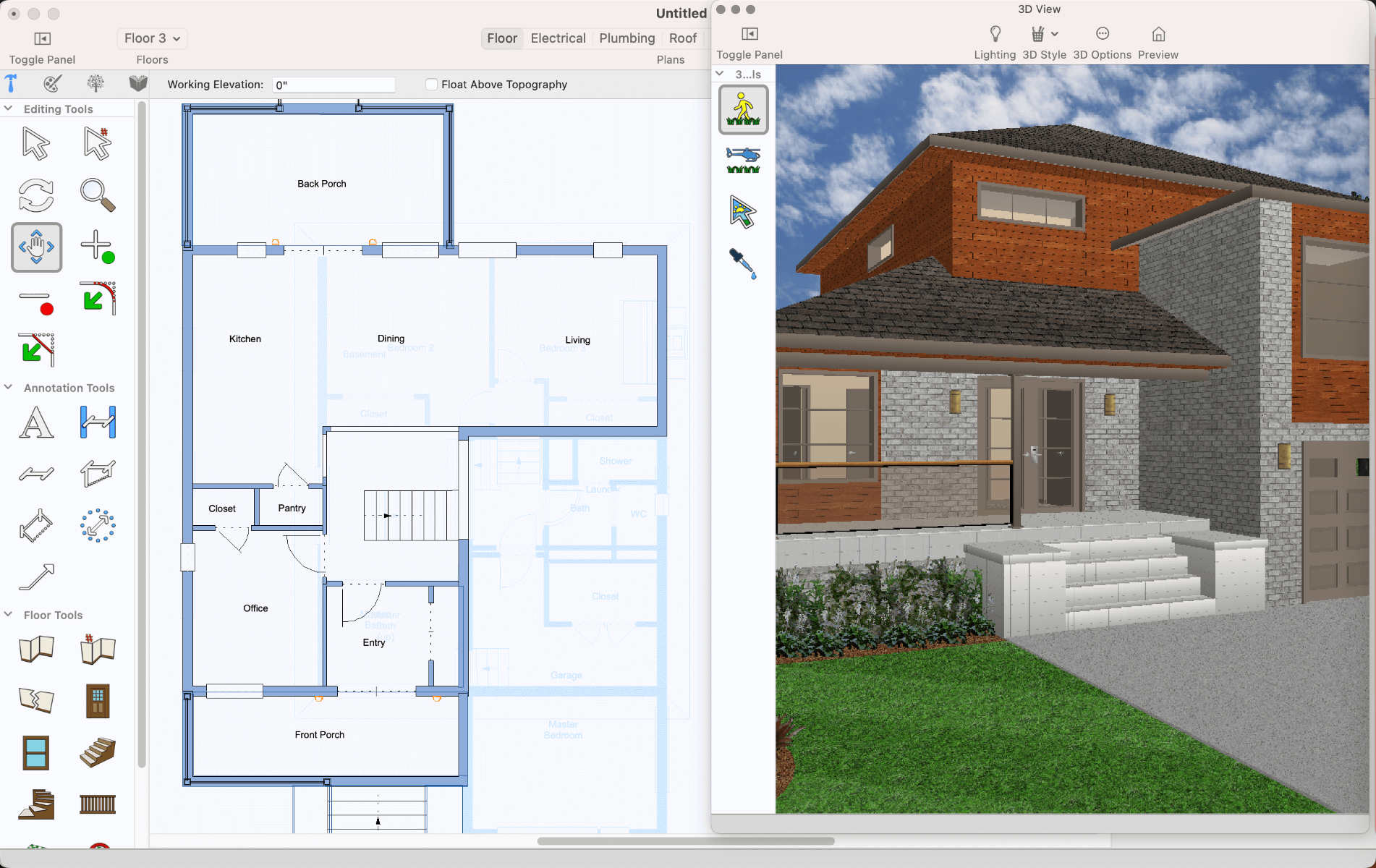
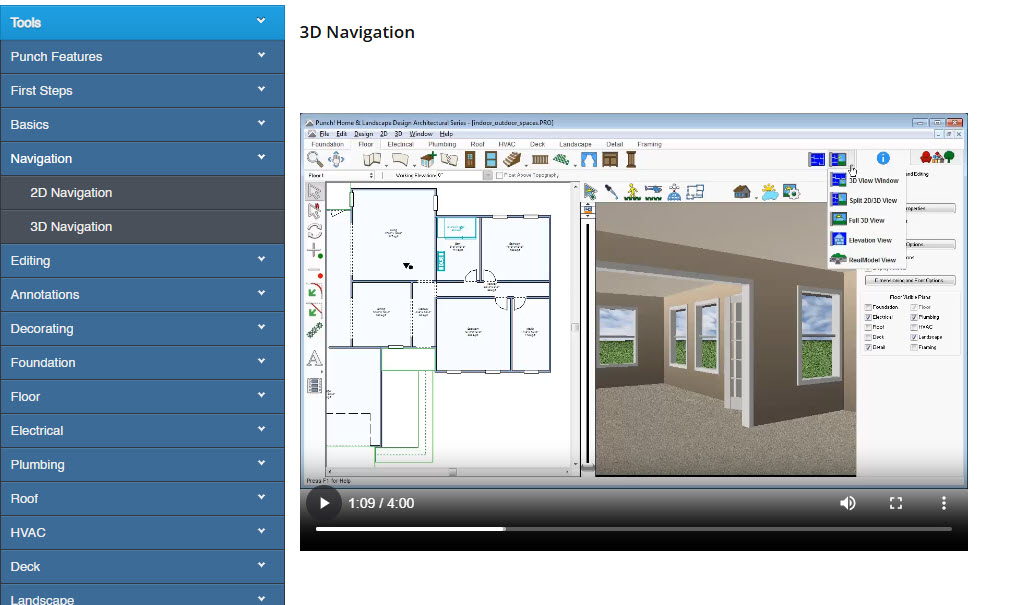
Instantly switch between 2D and 3D views with ease to bring your floor plans to life. This capability allows for a quick assessment of both the spatial and aesthetic qualities of a design. Additionally, you can create templates for a 3D model of your design for future projects or variations.
High performance and high-quality rendering for 2D geometry and text.
Support for customizable line, fill, and pattern colors.
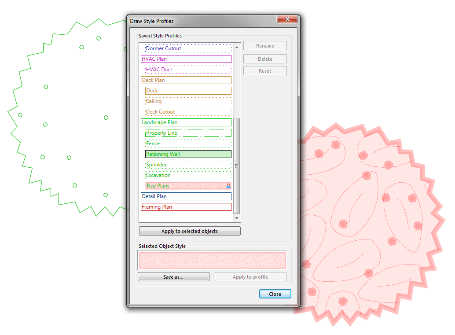
Customize and apply drawing styles for any objects or group of objects.
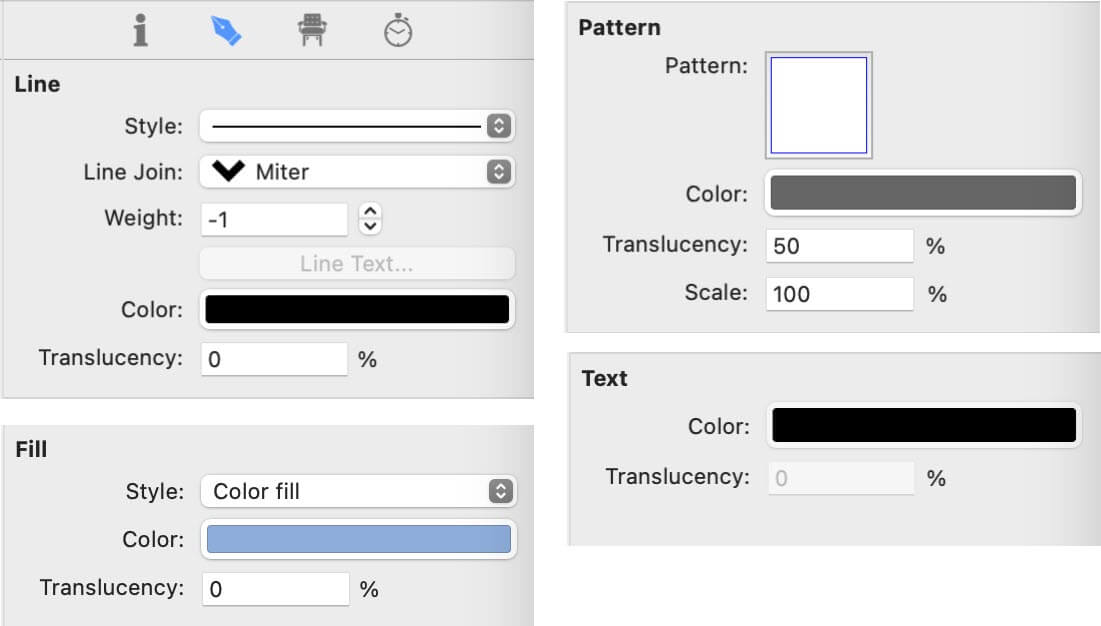
Pick and apply a profile to an object.
Save your profile, then quickly and easily apply to selected objects.
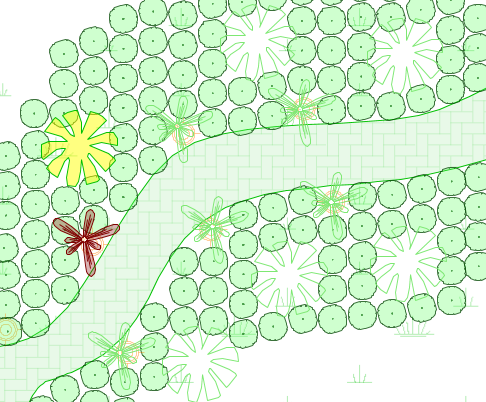
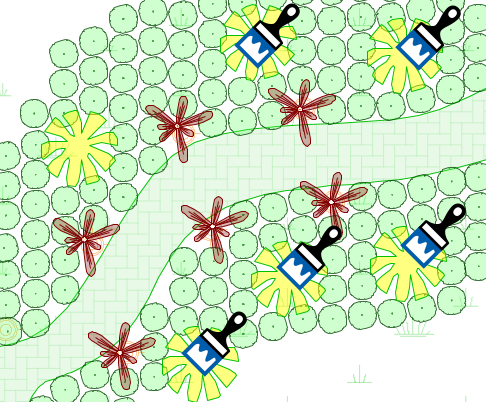
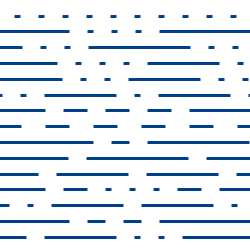
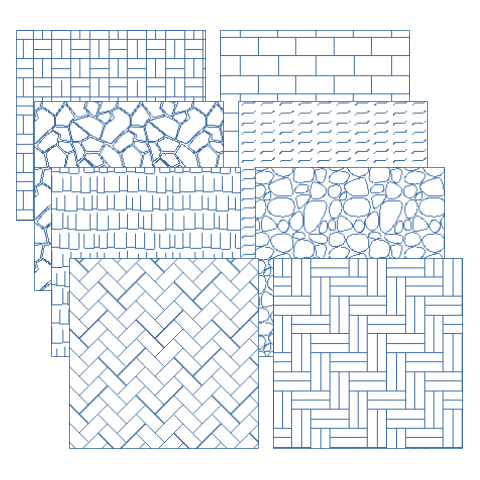
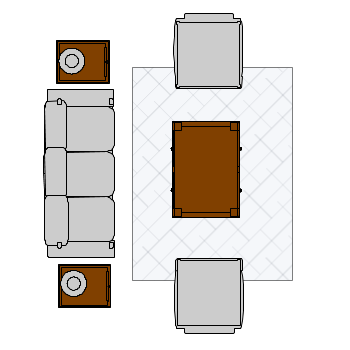

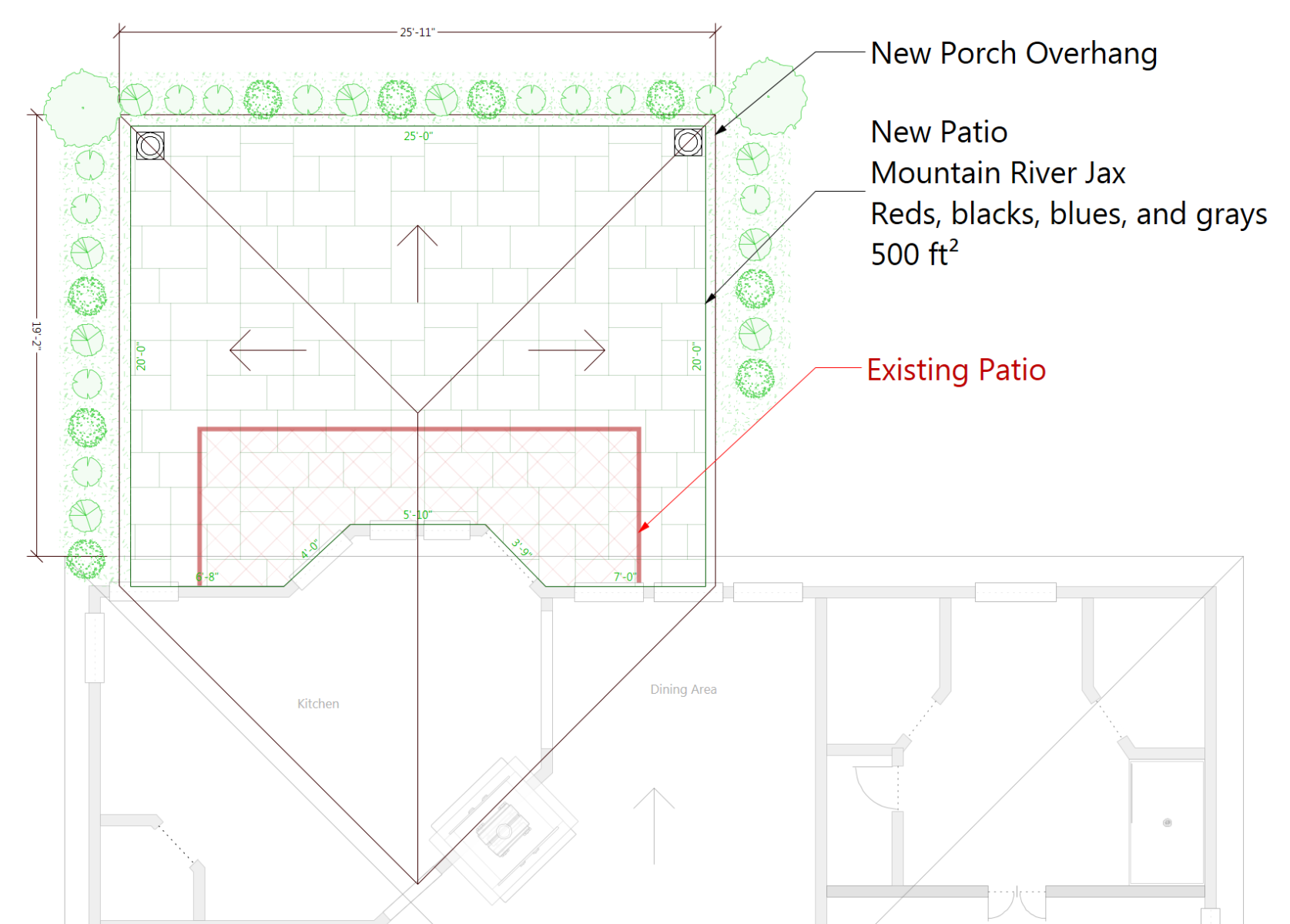
Easily and Clearly Show Before and After Changes.
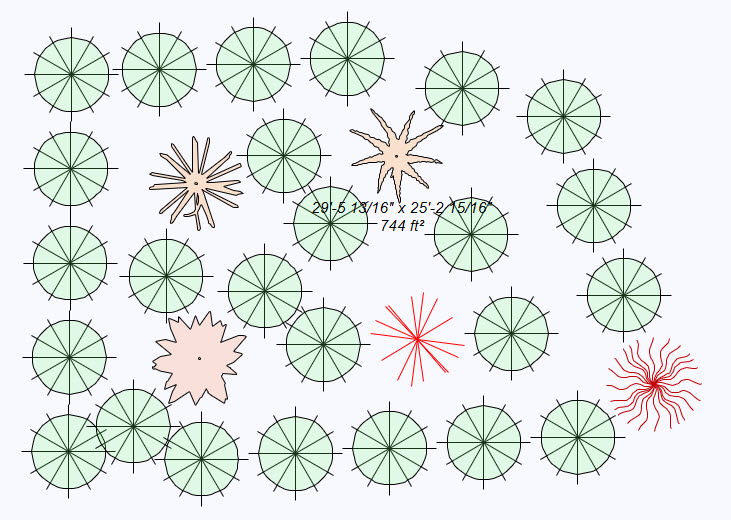
Options for Lines, Fills, Patterns & Text.
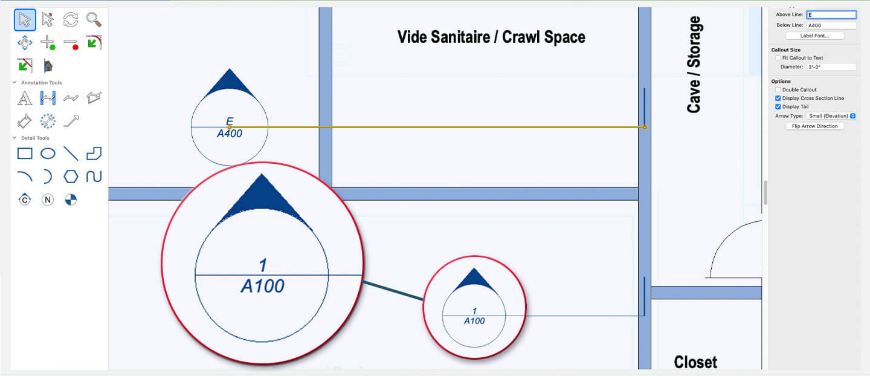
The Callout Tool enables you to identify specific portions of the building model, such as details, sections, and elevations. It automatically adjusts the callout size to fit the text, ensuring clear and precise annotations.
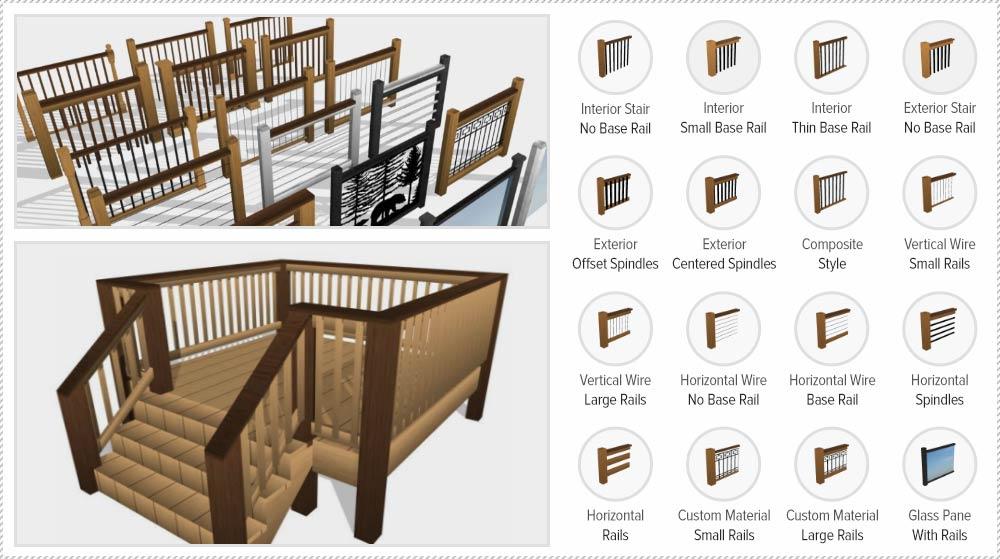
Explore an array of railing styles, from offset spindles to glass and wire, and craft custom 3D posts for unlimited design possibilities. With detailed deck construction tools (only available in FloorPlan® Pro), you can define fascia heights and post dimensions, and ensure stability with support posts that extend to the ground. Fine-tune staircase post heights and achieve a continuous handrail flow over posts for a polished finish.
The LuxCore™ rendering engine creates stunning presentations. Render management of materials, luminances, environments, and advanced render styles give you truly photorealistic results. Additional lighting options including Sky, Area, and Custom Object Lights help create stunning indoor renderings.
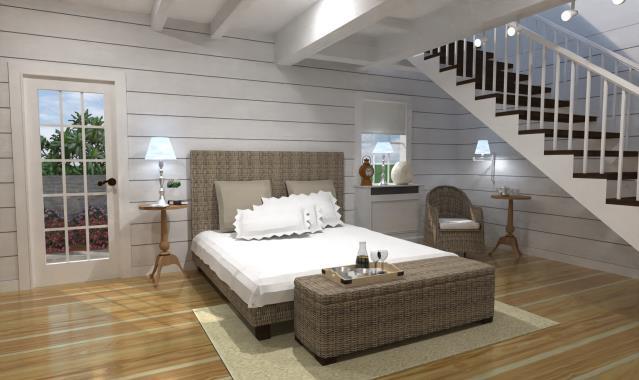
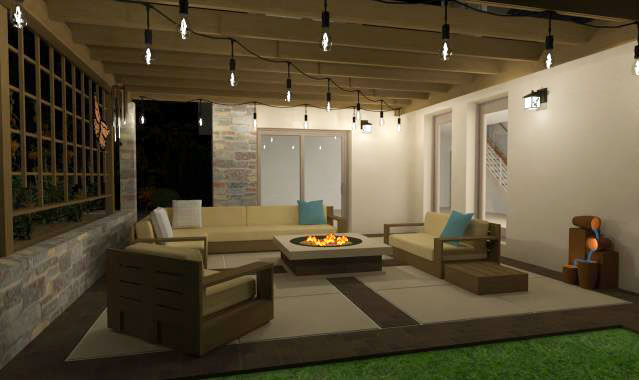
Batch Render 3D Views allows you to queue up saved 3D views for final high-quality image rendering. Instead of rendering each view individually, select multiple views and initiate the process. Rendered image files are neatly saved in a specified folder.
The enhanced "Save 3D View" functionality now includes additional settings for customizing the view. You can fine-tune details such as the active decorator palette, visible floors, plans, subplan visibility, photo render lighting settings, lot specifications, and even the active cutaway object. A perfect blend of accuracy and ease!
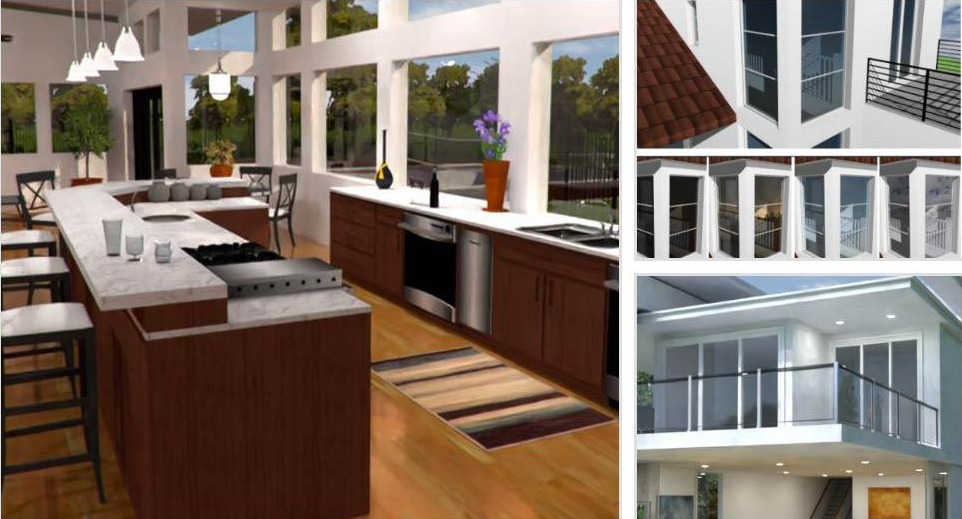
Windows, doors, and skylights now feature glass panes for enhanced realism in standard renderings. The photo rendering capability mimics the authentic qualities of double-pane window glass for a lifelike visual effect.
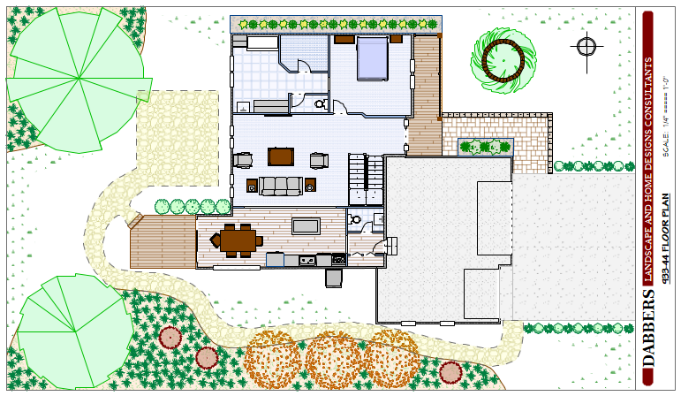
Add labels to drawing to callout important structural elevations when creating construction documentations.
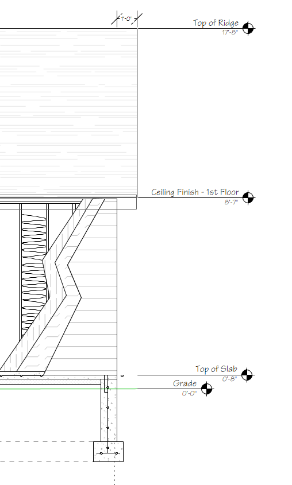

FloorPlan provides extensive detailing tools suitable for annotating site plans, floor plans, elevation views, and providing other details required for proper construction and permits. These tools include a Callout tool, Plan, Window and Door labels, and Note Markers. In addition, numerous line styles and fill patterns provide greater ability to annotate and call out regions and areas of the drawing. All essential in accurately communicating design intent.
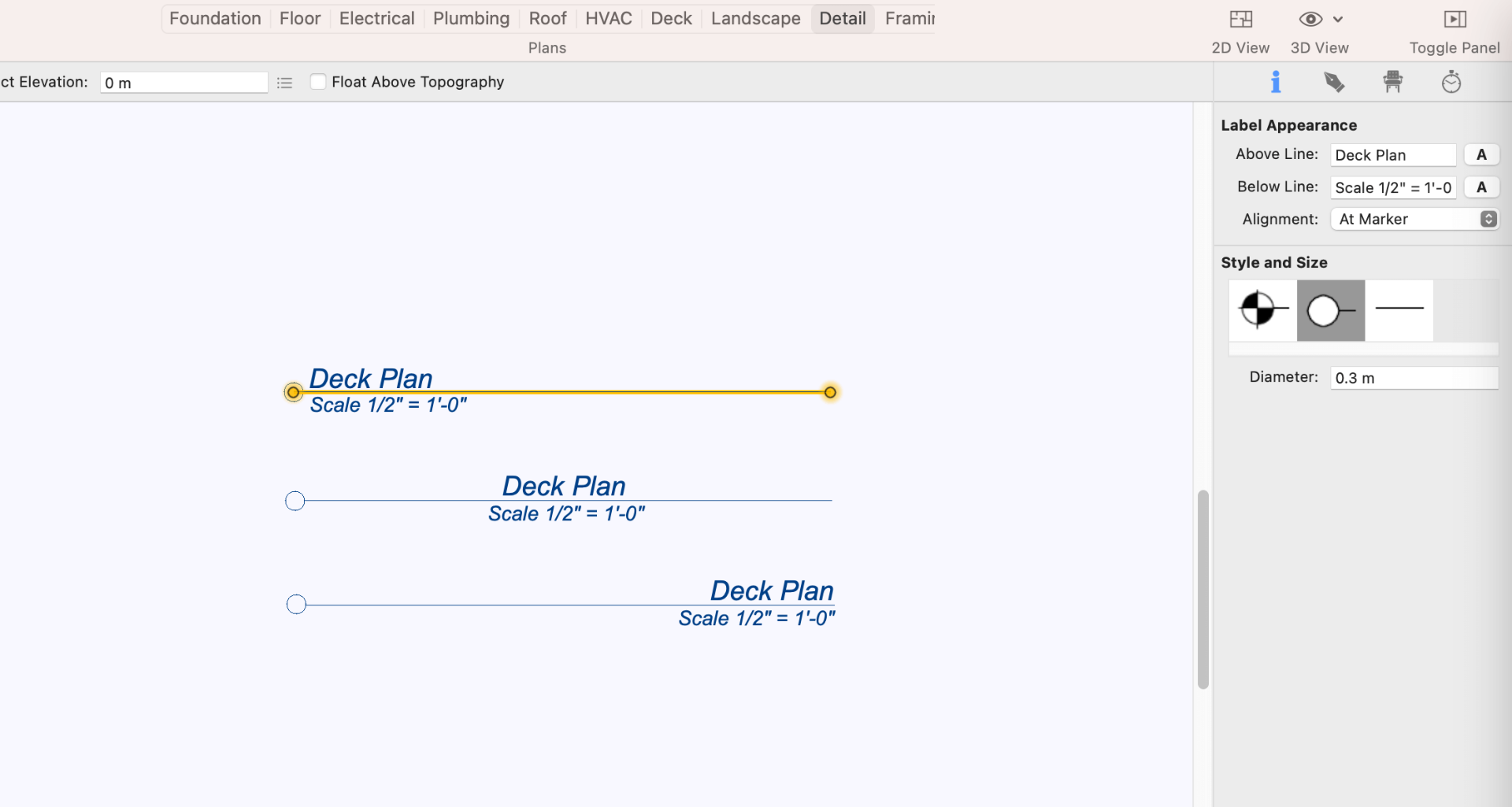
Add title lines to display plan names. Customize text alignment and font styles.
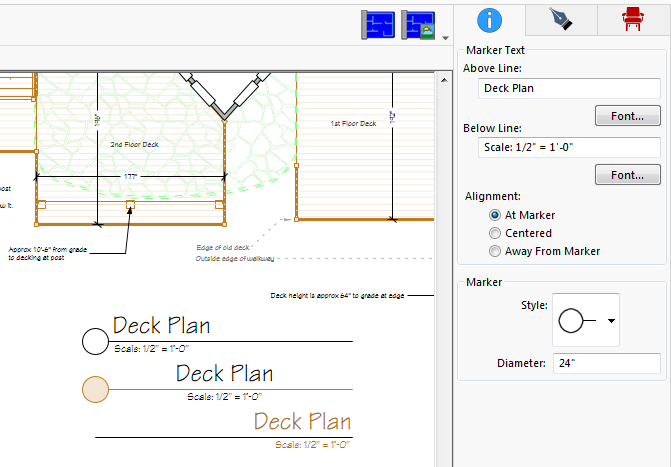
Align, edit, and distribute elements with ease.
 Alignment Tools– Quickly align a selected set of design elements.
 Distribution Tools – Spaces selected design elements evenly.
 Size Match – Make selected elements the same width, height or both.
 Duplicate – Creates specified number of copies, customizable spacing between copies.
 Flip and Mirror – Flip objects horizontally and vertically.
 2D View Tools – Reset View, Fit To Window, Fit To Selected.
More custom text options.
Choose multiple fonts and attributes.
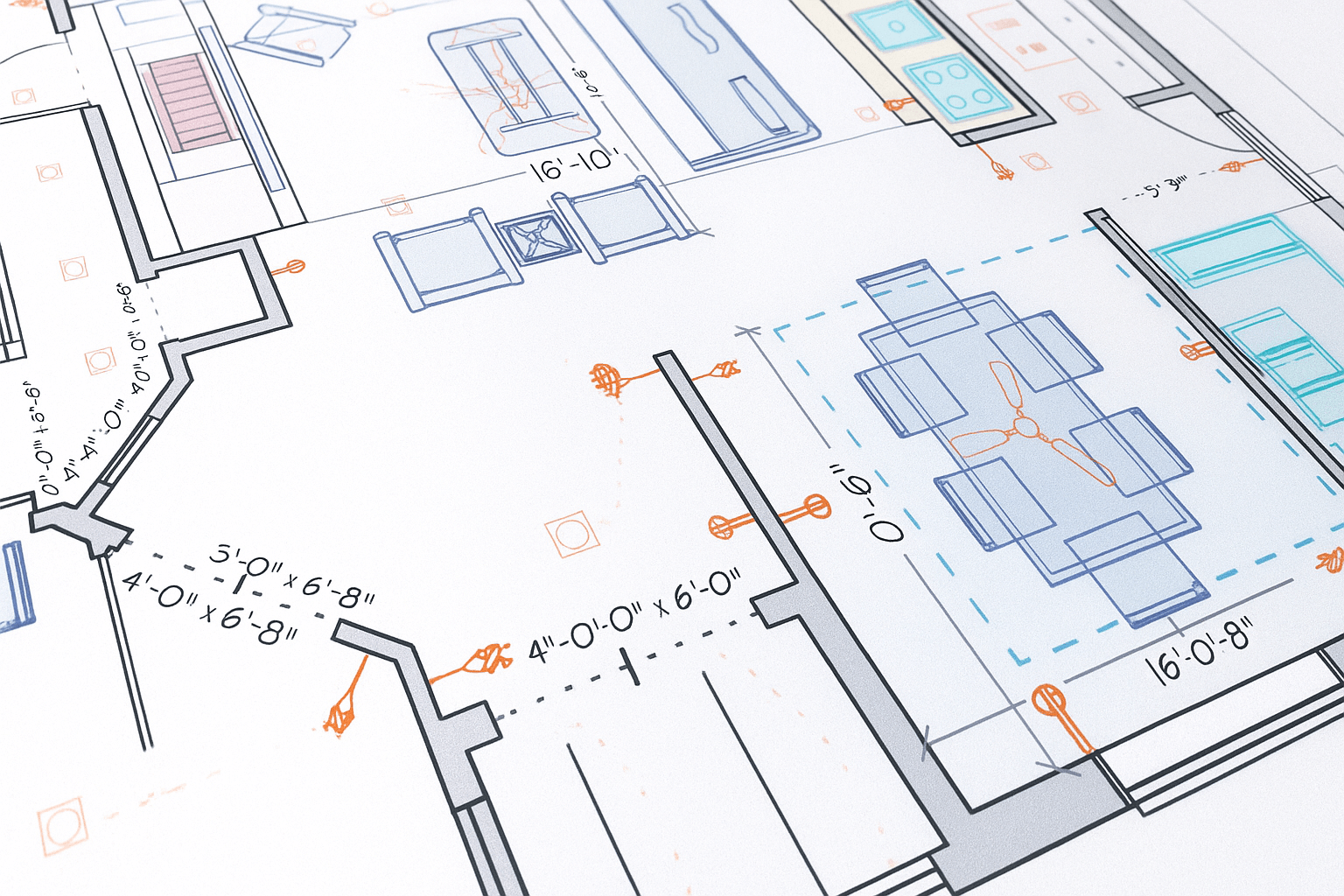
The LightWorks®rendering engine creates stunning presentations. Render management of materials, luminance, environments, and advanced render styles give you truly photorealistic results. You can create even more stunning renderings with LightWorks®Skylight, Area, and Custom Object lighting options. These features are ideal for creating dynamic, photorealistic Interior Designs, allowing you to more effectively communicate your design ideas to your client, or your interior designer, builder, or contractor.

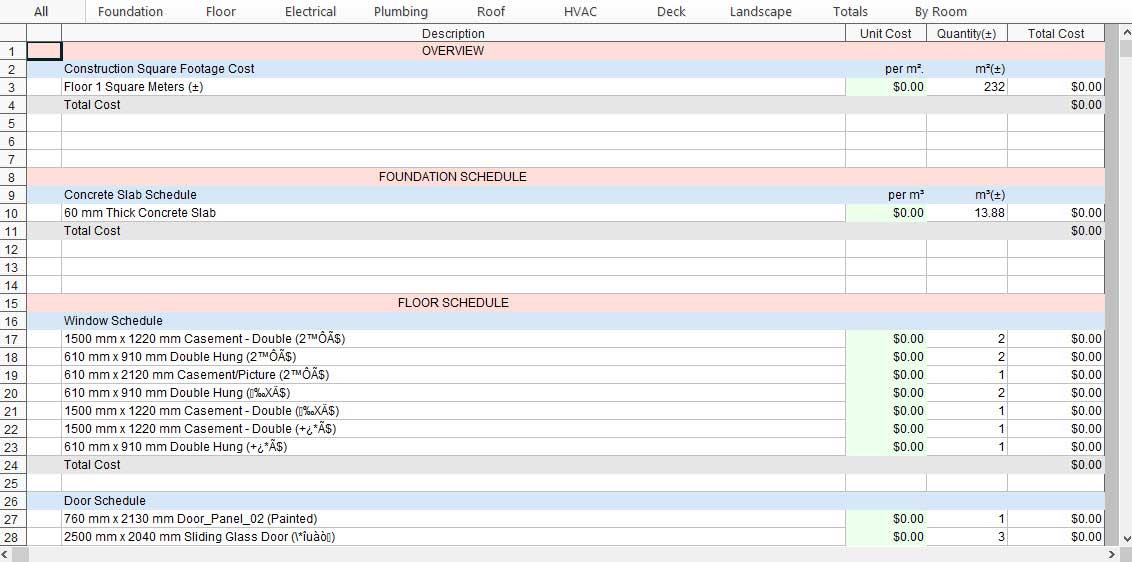
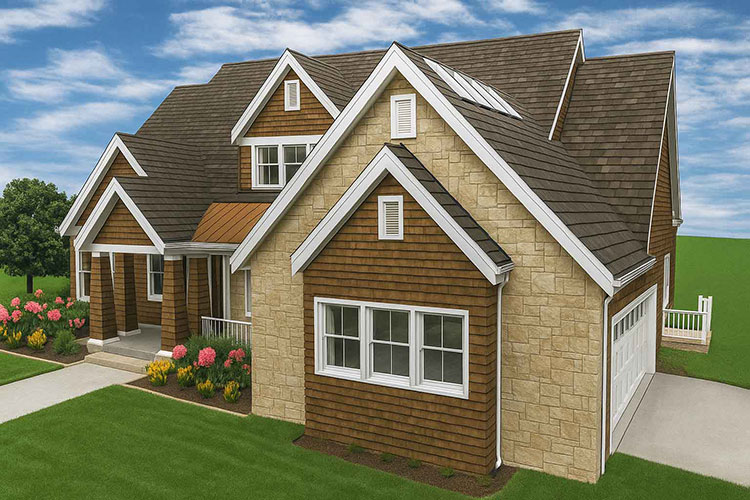
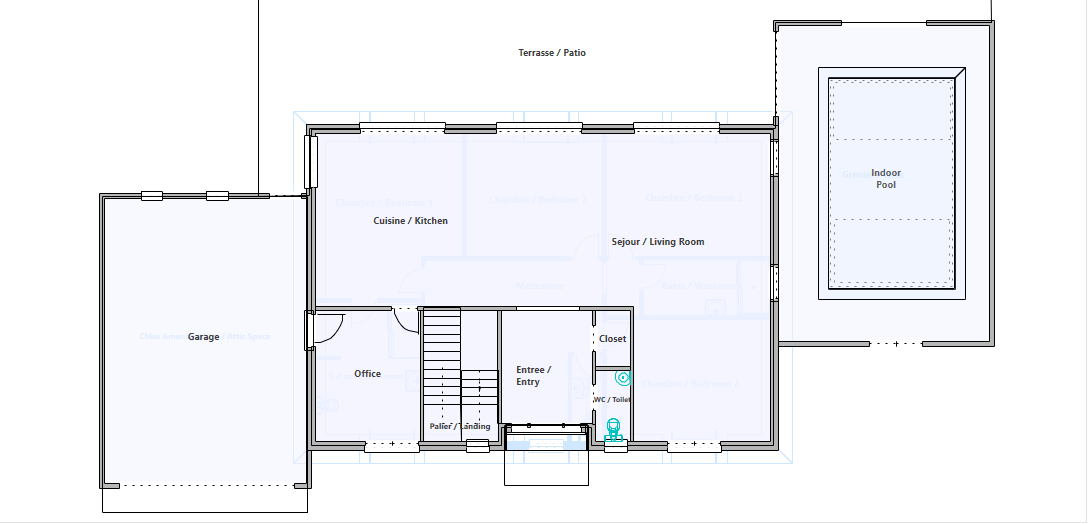
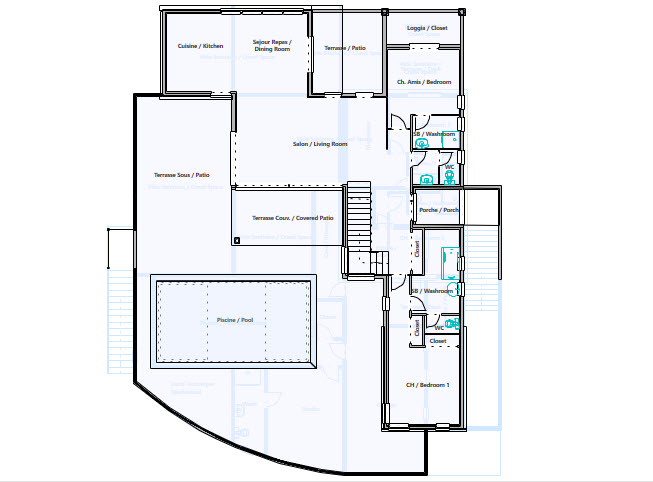
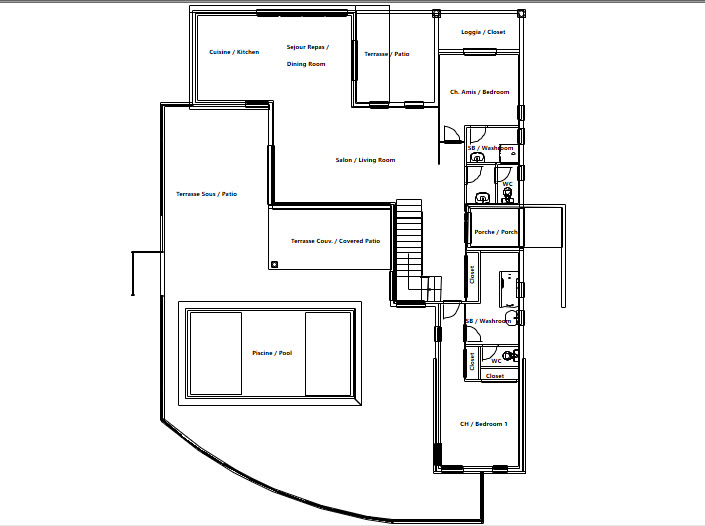
Punch!® Home & Landscape Design is equipped with robust import and export capabilities, ensuring smooth integration with a wide range of design and modeling tools. This flexibility allows you to bring in various types of data and materials to enrich your designs and to share your projects in versatile formats.
Price: $129.99


Choose Version
| Feature | Express | Essentials | Studio | Professional | Architectural |
| Green Region Tool | ✔️ | ✔️ | ✔️ | ✔️ | ✔️ |
| PBR Materials Support | ✔️ | ✔️ | |||
| Depth of Field Camera | ✔️ | ✔️ | |||
| High Resolution Rendering Export | ✔️ | ✔️ | |||
| PBR Material Download Packs | ✔️ | ✔️ | ✔️ | ✔️ | ✔️ |
| Advanced 2D Drawing Engine | ✔️ | ✔️ | ✔️ | ✔️ | ✔️ |
| Custom Rich Text | ✔️ | ✔️ | ✔️ | ✔️ | ✔️ |
| Material Editor | ✔️ | ✔️ | ✔️ | ✔️ | ✔️ |
| Window Shutters | ✔️ | ✔️ | ✔️ | ✔️ | ✔️ |
| 3D Cutaway Tool | ✔️ | ✔️ | ✔️ | ||
| Double Doors and Mounting Options | ✔️ | ✔️ | ✔️ | ✔️ | ✔️ |
| Advanced Floor Management | 4 floors | 4 floors | 6 floors | 12 floors | 20 floors |
| Floor Plan Trace | ✔️ | ✔️ | ✔️ | ✔️ | ✔️ |
| 2D Tracing House Plans | 0 | 250 | 250 | 500 | 1000 |
| Online Training Center | ✔️ | ✔️ | ✔️ | ✔️ | ✔️ |
| Foundation Planner | ✔️ | ✔️ | ✔️ | ||
| HVAC Planner | ✔️ | ✔️ | ✔️ | ||
| Electrical Planner | ✔️ | ✔️ | ✔️ | ✔️ | ✔️ |
| Estimator with Room Estimating | ✔️ | ✔️ | ✔️ | ✔️ | |
| Instant 3D Views | ✔️ | ✔️ | ✔️ | ✔️ | ✔️ |
| Automatic and Custom Roof Tools | ✔️ | ✔️ | ✔️ | ||
| Automatic Gables | ✔️ | ✔️ | |||
| Dormer Tool | ✔️ | ✔️ | |||
| Metric and Imperial Measurements | ✔️ | ✔️ | ✔️ | ✔️ | ✔️ |
| Framing | ✔️ | ✔️ | |||
| Baywall | ✔️ | ✔️ | ✔️ | ||
| Curved Wall Tool | ✔️ | ✔️ | ✔️ | ||
| Room Addition Tool | ✔️ | ✔️ | ✔️ | ||
| Sheet Layout Mode 2D/3D | ✔️ | ||||
| Sheet Layout Mode 2D | ✔️ | ✔️ | |||
| Enhanced Deck, Railing and Stair Options | ✔️ | ✔️ | ✔️ | ✔️ | ✔️ |
| Custom Railing Styles | ✔️ | ✔️ | |||
| Custom Posts | ✔️ | ✔️ | |||
| Custom Subplans | ✔️ | ✔️ | |||
| Floor 2D/3D Visibility Control | ✔️ | ✔️ | |||
| Included 3D Objects* | 2044 | 2044 | 2044 | 5469 | 5469 |
| Over 7640 Materials | ✔️ | ✔️ | ✔️ | ✔️ | ✔️ |
| PhotoView | ✔️ | ✔️ | ✔️ | ✔️ | |
| Accessories / Window Treatments | ✔️ | ✔️ | ✔️ | ||
| Décor Column Tool | ✔️ | ✔️ | ✔️ | ✔️ | |
| QuickPalettes | ✔️ | ✔️ | ✔️ | ||
| Decorator Palette | ✔️ | ✔️ | ✔️ | ✔️ | |
| Cabinet Tool | ✔️ | ✔️ | ✔️ | ✔️ | ✔️ |
| Cable/Phone/Thermostat | ✔️ | ✔️ | ✔️ | ✔️ | |
| Window Designer | ✔️ | ✔️ | |||
| Door Designer | ✔️ | ✔️ | |||
| Trim Designer | ✔️ | ✔️ | |||
| Fireplace Wizard | ✔️ | ✔️ | |||
| Ceiling Designer | ✔️ | ✔️ | |||
| Mantel Designer | ✔️ | ✔️ | |||
| Security System Tools | ✔️ | ||||
| Home Automation Tools | ✔️ | ||||
| Home Theater | ✔️ | ||||
| Spray Topography | ✔️ | ✔️ | ✔️ | ||
| 2D Plant Symbols | ✔️ | ✔️ | ✔️ | ✔️ | ✔️ |
| Customizable Plant Sizing | ✔️ | ✔️ | ✔️ | ✔️ | ✔️ |
| Over 4000 Plants | ✔️ | ✔️ | ✔️ | ✔️ | ✔️ |
| Landscape and Patio Groupings | ✔️ | ✔️ | ✔️ | ✔️ | ✔️ |
| Topography Tools | ✔️ | ✔️ | ✔️ | ✔️ | |
| Deck Layout Tools | ✔️ | ✔️ | ✔️ | ✔️ | ✔️ |
| Enhanced Deck Railing and Stair Options | ✔️ | ✔️ | ✔️ | ✔️ | ✔️ |
| IntelliDeck Tools | ✔️ | ✔️ | ✔️ | ||
| Custom Edging and Bed Borders | ✔️ | ✔️ | |||
| Outdoor Kitchen Custom Cabinets | ✔️ | ✔️ | |||
| Global Sun Positioning | ✔️ | ✔️ | ✔️ | ||
| Plant Inventory Bar | ✔️ | ✔️ | ✔️ | ||
| Plant Fill | ✔️ | ✔️ | ✔️ | ||
| Irrigation Tools | ✔️ | ✔️ | ✔️ | ||
| Fence Designer | ✔️ | ✔️ | |||
| Site Planner (Property Line Coordinates) | ✔️ | ✔️ | |||
| Pool Designer | ✔️ | ✔️ | |||
| Library Navigation and Preview Control | ✔️ | ✔️ | ✔️ | ✔️ | ✔️ |
| Interface Color Customization | ✔️ | ✔️ | ✔️ | ✔️ | ✔️ |
| Download Packs for 3D Objects, textures and more | ✔️ | ✔️ | ✔️ | ✔️ | ✔️ |
| Point Selection Highlight Guides | ✔️ | ✔️ | ✔️ | ✔️ | ✔️ |
| Drag and Drop into 3D | ✔️ | ✔️ | ✔️ | ✔️ | ✔️ |
| Multiple Monitor Support | ✔️ | ✔️ | ✔️ | ✔️ | ✔️ |
| Realmodel | ✔️ | ✔️ | ✔️ | ✔️ | |
| Custom Furniture Workshop | ✔️ | ✔️ | ✔️ | ✔️ | |
| Custom Furniture Workshop Pro | ✔️ | ✔️ | |||
| PhotoView Editor | ✔️ | ✔️ | |||
| Symbol Editor | ✔️ | ✔️ | ✔️ | ||
| Section Detailer | ✔️ | ✔️ | |||
| 2D Symbol Library | ✔️ | ✔️ | ✔️ | ||
| AEC & CAD Symbols Library | ✔️ | ✔️ | ✔️ | ||
| Selection Filter | ✔️ | ✔️ | ✔️ | ||
| Callout Tool | ✔️ | ✔️ | |||
| Level Lines | ✔️ | ✔️ | |||
| Plan Labels | ✔️ | ✔️ | |||
| Note Markers | ✔️ | ✔️ | ✔️ | ✔️ | ✔️ |
| Line Text Styles | ✔️ | ✔️ | ✔️ | ✔️ | |
| Fill Patterns | ✔️ | ✔️ | ✔️ | ✔️ | |
| Additional Print Scales | ✔️ | ✔️ | ✔️ | ✔️ | ✔️ |
| CAD Detail Tool | ✔️ | ✔️ | ✔️ | ✔️ | ✔️ |
| Duplicate Shape, Shrink/Expand | ✔️ | ✔️ | ✔️ | ✔️ | ✔️ |
| Quick Edit Shorcuts | ✔️ | ✔️ | ✔️ | ✔️ | ✔️ |
| Default Design Settings Templates | ✔️ | ✔️ | ✔️ | ✔️ | ✔️ |
| Photo Rendering (Luxcore) | ✔️ | ✔️ | |||
| Batch Rendering 3D Views | ✔️ | ✔️ | ✔️ | ✔️ | ✔️ |
| Glass Window & Door Panes | ✔️ | ✔️ | ✔️ | ✔️ | ✔️ |
| 2D & 3D | ✔️ | ✔️ | ✔️ | ✔️ | ✔️ |
| 3D Navigation | ✔️ | ✔️ | ✔️ | ✔️ | ✔️ |
| 3D Animation Export | ✔️ | ✔️ | |||
| Room View | ✔️ | ✔️ | ✔️ | ✔️ | |
| Saved 3D Viewpoints | ✔️ | ✔️ | ✔️ | ||
| Clearview/Wireframe | ✔️ | ✔️ | ✔️ | ||
| Cutaway | ✔️ | ✔️ | ✔️ | ||
| Elevation Editor | ✔️ | ✔️ | |||
| Aerial | ✔️ | ✔️ | ✔️ | ||
| Aerial Room View (3D) | ✔️ | ✔️ | ✔️ | ✔️ | |
| Online 360° Viewer | ✔️ | ✔️ | ✔️ | ✔️ | |
| Reflections | ✔️ | ✔️ | |||
| High Resolution Plant and Material Import | ✔️ | ✔️ | |||
| OBJ File Export | ✔️ | ✔️ | ✔️ | ✔️ | |
| OBJ Import | ✔️ | ✔️ | |||
| STL Export | ✔️ | ✔️ | ✔️ | ||
| Import DXF/DWG (2D) | ✔️ | ✔️ | ✔️ | ✔️ | ✔️ |
| Export DXF/DWG | ✔️ | ✔️ | ✔️ | ✔️ | ✔️ |
| PDF Import 2D | ✔️ | ✔️ | ✔️ | ✔️ | ✔️ |
| Sketchup Import | ✔️ | ✔️ | ✔️ | ✔️ | ✔️ |
| 3DS Import | ✔️ | ✔️ | ✔️ | ✔️ | ✔️ |
| Import Material | ✔️ | ✔️ | ✔️ | ✔️ | ✔️ |
| Import Plant | ✔️ | ✔️ | ✔️ | ✔️ | ✔️ |
Transforming your vision into reality has never been easier with Punch!® Home & Landscape Design. Whether you're a professional architect, a seasoned contractor, or an enthusiastic DIYer, Punch!® provides a suite of intuitive, feature-rich tools to help you design, renovate, and create stunning interiors and landscapes. From detailed floor plans and brand-name product libraries to immersive 3D visualization, these powerful software solutions cater to every level of expertise. Whether you're planning a full-scale remodel or refreshing your outdoor space, Punch!® empowers you to bring your ideas to life with precision and creativity.
Positioned as the next step in our product lineup, this robust solution is tailored for contractors and serious DIYers. It provides comprehensive home design capabilities—from detailed floor plans to expansive outdoor spaces—featuring professional-grade layouts, a vast material library, and dynamic visualization tools that streamline home renovations and new builds with precision. While it offers a high level of functionality, it represents a slight step down from our top-tier Architectural Series.
Each version of Punch!® Home & Landscape Design offers user-friendly tools, detailed tutorials, and innovative visualization to bring creative ideas to life efficiently.
|
|
Please note that some features listed below may not be available in every variant. For a complete breakdown of which features are supported in each product, check the Product Line and File Format Comparison.
Easy tabs organize your project into the foundation, floor, electrical, plumbing, roof, etc. creating all the steps needed for your design.
Note: The availability of Tabs (e.g., Foundation, Floor, Electrical, Plumbing, Roof) may vary depending on the product variant you are using. For a detailed overview of feature distribution, please consult the Product Line Comparison Chart. This will help you identify which features are included in the variant you are interested in.
Unlock a world of design potential with an expansive selection of 2D and 3D objects, offering endless possibilities to enhance your space. With a user-friendly interface, you can select and place entire furniture groupings through a simple drag-and-drop mechanism. Dive into a vast array of nationally recognized decorating materials, including stylish faux finishes, elegant wood flooring, sleek countertops, and versatile blinds, among others. Experience the ease and efficiency of our intuitively designed library, crafted for quick and straightforward searches, ensuring you find the perfect design elements in no time.
Save hours of design time by using professionally drawn single and two-story house plans as 2D tracing layers which can then be automatically viewed as a 3D design. 500 plans from which to choose!
Go green in one click; watch your design go green with design tips and objects; recycled glass counter tops, bamboo flooring and more! Make your home more energy efficient with new appliances or update your windows, doors and more!
SmartWand™technology adds paint or other material applications to a specific wall, room, or your entire house, with one mouse click!
This mode enables easy construction document creation, with customizable design views, sheet sets, annotations, and title blocks. It features accurate dimensioning and versatile printing options, including scale adjustments and PDF output.
Instantly switch between 2D and 3D views with ease to bring your floor plans to life. This capability allows for a quick assessment of both the spatial and aesthetic qualities of a design. Additionally, you can create templates for a 3D model of your design for future projects or variations.
High performance and high-quality rendering for 2D geometry and text.
Support for customizable line, fill, and pattern colors.
Customize and apply drawing styles for any objects or group of objects.
Pick and apply a profile to an object.
Save your profile, then quickly and easily apply to selected objects.
Easily and Clearly Show Before and After Changes.
Options for Lines, Fills, Patterns & Text.
The Callout Tool enables you to identify specific portions of the building model, such as details, sections, and elevations. It automatically adjusts the callout size to fit the text, ensuring clear and precise annotations.
Explore an array of railing styles, from offset spindles to glass and wire, and craft custom 3D posts for unlimited design possibilities. With detailed deck construction tools (only available in FloorPlan® Pro), you can define fascia heights and post dimensions, and ensure stability with support posts that extend to the ground. Fine-tune staircase post heights and achieve a continuous handrail flow over posts for a polished finish.
The LuxCore™ rendering engine creates stunning presentations. Render management of materials, luminances, environments, and advanced render styles give you truly photorealistic results. Additional lighting options including Sky, Area, and Custom Object Lights help create stunning indoor renderings.
Batch Render 3D Views allows you to queue up saved 3D views for final high-quality image rendering. Instead of rendering each view individually, select multiple views and initiate the process. Rendered image files are neatly saved in a specified folder.
The enhanced "Save 3D View" functionality now includes additional settings for customizing the view. You can fine-tune details such as the active decorator palette, visible floors, plans, subplan visibility, photo render lighting settings, lot specifications, and even the active cutaway object. A perfect blend of accuracy and ease!
Windows, doors, and skylights now feature glass panes for enhanced realism in standard renderings. The photo rendering capability mimics the authentic qualities of double-pane window glass for a lifelike visual effect.
Add labels to drawing to callout important structural elevations when creating construction documentations.
FloorPlan provides extensive detailing tools suitable for annotating site plans, floor plans, elevation views, and providing other details required for proper construction and permits. These tools include a Callout tool, Plan, Window and Door labels, and Note Markers. In addition, numerous line styles and fill patterns provide greater ability to annotate and call out regions and areas of the drawing. All essential in accurately communicating design intent.
Add title lines to display plan names. Customize text alignment and font styles.
Align, edit, and distribute elements with ease.
Alignment Tools– Quickly align a selected set of design elements. Distribution Tools – Spaces selected design elements evenly. Size Match – Make selected elements the same width, height or both. Duplicate – Creates specified number of copies, customizable spacing between copies. Flip and Mirror – Flip objects horizontally and vertically. 2D View Tools – Reset View, Fit To Window, Fit To Selected.
More custom text options.
Choose multiple fonts and attributes.
The LightWorks®rendering engine creates stunning presentations. Render management of materials, luminance, environments, and advanced render styles give you truly photorealistic results. You can create even more stunning renderings with LightWorks®Skylight, Area, and Custom Object lighting options. These features are ideal for creating dynamic, photorealistic Interior Designs, allowing you to more effectively communicate your design ideas to your client, or your interior designer, builder, or contractor.
Punch!® Home & Landscape Design is equipped with robust import and export capabilities, ensuring smooth integration with a wide range of design and modeling tools. This flexibility allows you to bring in various types of data and materials to enrich your designs and to share your projects in versatile formats.
We offer refunds to original payment method if the following are met:
Returns can be requested by logging into your account here.
We offer refunds to store credit if the following are met:
Returns can be requested by logging into your account here.
Nearly every industry today manages digital documents using PDF tools, which provide the most effective way to create and edit them. One of the most common among them is Adobe...

During the Christmas holidays, a gifting season, many people receive devices from their loved ones, and Windows devices are among the most common and exciting gifts. But if you’re not...

It’s easy to fall into the trap of thinking that the best graphic design software for beginners is the one that’s most popular or has the longest feature list. However,...

If you’re thinking about making a decision between Microsoft Office Home & Student vs Home & Business, this decision is going to come down to your daily tasks, budget, and...

Software that students must have helps them be more productive at school. Many of these programs are provided by the school, eliminating the need to buy them. But that’s not...

Computer requirements for different CAD software programs depend on the type of design work, project size, and features you need. Generally, though, you need a 64-bit processor, 16 GB of...

If you've searched antivirus vs internet security and come away more uncertain than when you started, you're not alone. Both terms show up on the same product shelf, often used...

Beginners entering the world of CAD have to strike a balance between professional-grade capability and an accessible, intuitive interface. This narrows the best CAD software options for beginners down to...
Microsoft

Microsoft
Microsoft
Norton

Tungsten Automation

Tungsten Automation
Norton

Tungsten Automation

Category
Compatible Platforms
Compatible Operating Systems
Pricing Model
Number of Computers/Users
Supported Regions
Delivery Format
Supported Languages