3D Modeling and Rendering Software

In the world of modern creativity, where technology is as much a canvas as it is a brush, 3D CAD design software from SoftwareCW is a force for innovation. These tools are engines that convert ideas into vivid realities that captivate and inspire. Behind every creation, 3D design software for PCs and Macs ensures your vision is realized with breathtaking precision and imagination.

Change View

  • The Power of Visualization

    3D CAD design software empowers users to breathe life into visions that once lived only in the imagination. It's similar to an artist being handed a brush that paints in dimensions, offering architects, game developers, and filmmakers the precision required to sculpt, layer by layer, the complex visuals that build new worlds. From the meticulous detailing of a futuristic cityscape to the subtle textures of a fantastical creature, these tools are about expanding the boundaries of what is visually and technically possible.

  • A Partnership in Creation

    Each 3D CAD design software product from SoftwareCW is a step toward making sure you are equipped with the most advanced tools available.

    Our diverse portfolio, ranging from robust antivirus software to comprehensive Microsoft Office suites, ensures that every aspect of your digital and creative life is seamlessly supported under one roof. You don’t have to hunt around for the right programs or wait for a disc to arrive in the mail because everything here is available for immediate download.

Frequently Asked Questions

What is the best 3D modeling software for beginners?

For beginners, we recommend software that balances ease of use with robust features. Chief Architect Premier and CorelCAD offer intuitive interfaces and powerful capabilities. Look for video tutorials online to see which one seems easier for you.

Can these programs operate across different operating systems?

Yes, 3D design software for Mac and PC is versatile enough to perform seamlessly on both Windows and Mac platforms. Always verify the specific requirements to ensure optimal performance.

What makes SoftwareCW the ideal choice for purchasing 3D software?

At SoftwareCW, purchasing software means securing a pathway to success. We offer genuine products at competitive prices, all ready for immediate download so you can get started right away.

What is the difference between 2D drafting, 3D modeling, and rendering software?

2D drafting creates measured drawings made primarily from lines, dimensions, annotations, and other flat geometry. 3D modeling builds objects with depth so you can inspect form, assemblies, surfaces, or solids from multiple views. Rendering turns a 3D model into a more presentation-ready image using materials, lighting, shadows, and visual effects. SoftwareCW’s current 3D collection includes TurboCAD and DesignCAD products that combine these capabilities to different degrees, so choose based on whether you need technical drawings, editable 3D geometry, realistic visualization, or all three.

How do TurboCAD Deluxe, Professional, and Platinum differ for 3D work?

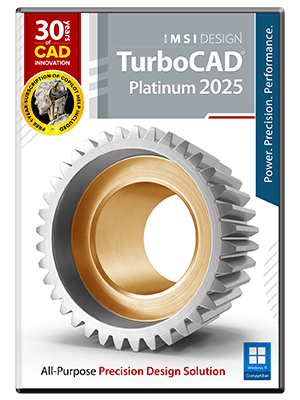
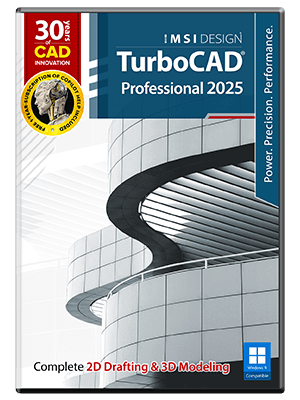
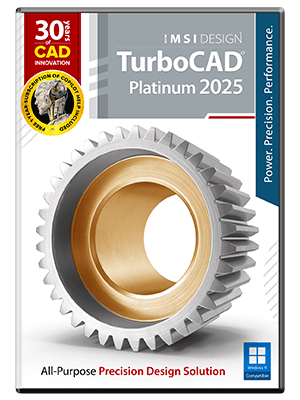
The editions provide progressively deeper professional capabilities. SoftwareCW’s 3D collection includes TurboCAD Deluxe, Professional, and Platinum 2025 for Windows. Deluxe combines 2D drafting with 3D surface modeling and rendering, while higher tiers add more advanced modeling, architectural, mechanical, interoperability, and professional drafting tools. The exact differences can be substantial, so compare the current feature matrix against your real projects. A hobbyist or small business may not need the specialized tools that justify Professional or Platinum.

What is the difference between surface modeling and solid modeling?

Surface modeling represents the outer skin or faces of a 3D object and is useful for shaping forms, visualization, and many design workflows. Solid modeling represents an object as a closed volume, which is valuable when you need operations such as Boolean cuts, mass properties, manufacturing-oriented geometry, or more detailed mechanical design. TurboCAD editions differ in the depth of their modeling engines. If your projects involve manufactured parts or complex assemblies, verify the exact solid-modeling tools instead of assuming any program labeled “3D CAD” provides the same capabilities.

Why do CAD file formats matter when choosing 3D modeling software?

CAD work often moves between architects, engineers, manufacturers, printers, clients, and other applications. Common exchange needs can include DWG and DXF for drawings, PDF for review, and 3D formats such as STL or other industry formats depending on the workflow. SoftwareCW describes its TurboCAD products as supporting extensive CAD and 3D file interchange, but exact import and export support varies by edition. Test representative production files before standardizing on a new application, especially when complex 3D geometry must survive the transfer.

What computer hardware matters most for 3D CAD and rendering?

3D modeling and rendering can require significantly more processor, memory, graphics, and storage performance than basic 2D drafting. Large models, photorealistic rendering, complex assemblies, textures, and high-resolution output increase those demands. Compare the exact software’s recommended requirements with your computer rather than relying only on the minimum needed to launch the program. For professional work, enough RAM and a supported GPU can improve model navigation and rendering, while fast storage helps with large projects, libraries, and exported files.

Can 3D CAD software be used to prepare models for 3D printing?

Yes, when the software can create suitable closed 3D geometry and export a format accepted by the downstream printing workflow, commonly STL or another supported 3D format. SoftwareCW notes 3D-printing file support in current TurboCAD Deluxe listings. The CAD model still needs to be checked for scale, wall thickness, watertight geometry, and other manufacturing constraints before printing. If 3D printing is a primary use case, verify the exact edition’s export formats and any model-analysis or repair tools you need.

Are the Windows and Mac 3D CAD editions identical?

No. SoftwareCW’s current 3D collection includes separate Windows and Mac TurboCAD products, and the platform editions have different version numbers, interfaces, feature sets, and system requirements. A Windows TurboCAD license should not be assumed to activate the Mac edition or vice versa. If you collaborate across platforms, verify that both products can exchange the required file formats and that any specialized tools used in the project survive the handoff.

What should I verify before purchasing 3D modeling and rendering software?

Define whether you need surface or solid modeling, architectural or mechanical tools, rendering, 3D printing, or general 2D/3D design. Then check the exact edition, Windows or Mac support, processor and graphics requirements, RAM, file import and export formats, rendering features, license model, and computer count. SoftwareCW’s collection includes several TurboCAD tiers and DesignCAD 3D Max, so compare capability against project complexity rather than simply choosing the most advanced or expensive product.